
Wifi Widget - See, Test, Share
Research answer
What AppTrendKit can say about Wifi Widget - See, Test, Share today
Wifi Widget - See, Test, Share has no estimate-backed download or gross-consumer-spend figure that meets the public evidence contract yet.
Observed App Store metadata, chart positions, and history are shown below. Missing, non-finite, undefined-currency, or undefined-metric evidence stays missing rather than becoming zero.
Performance intelligence
Observed trajectory and estimates
Store ranks are observations. Downloads and gross store consumer spend are AppTrendKit estimates and only appear when persisted evidence exists.
Estimated downloads · 30D
ModeledNo persisted estimate
The page does not turn missing evidence into zero.
Estimated App Store gross consumer spend · 30D
ModeledNo persisted estimate
The page does not turn missing evidence into zero.
Estimated downloads · 7D
ModeledNo persisted estimate
The page does not turn missing evidence into zero.
Estimated App Store gross consumer spend · 7D
ModeledNo persisted estimate
The page does not turn missing evidence into zero.
Evidence history
Collected daily performance
No daily metric history has been persisted yet.
Rank history
Observed chart positions
Lower rank is better. Only collected observations are shown.
Coverage note
What the ranks mean
A missing rank is not treated as zero downloads or zero revenue. Apple chart feeds are bounded and may return censored or not-ranked observations outside the visible chart depth.
Read the methodStorefront mix
Top countries by estimated contribution
Country estimates are aggregated only after country-level predictions exist.
Monetization
Observed store economics signals
These are listing and product observations. They are not company revenue, subscriber counts, or advertising revenue.
App details
Store metadata
- Version
- 1.2.2
- Released
- Jan 19, 2017
- Last updated
- Nov 10, 2017
- Content rating
- 4+
- Default storefront
- BE
Public IAP observations
Validated in-app purchase prices
Only persisted rows with an explicit public publication boundary are shown. Missing price, currency, country, or date values stay unknown.
Listing detail
What the store says
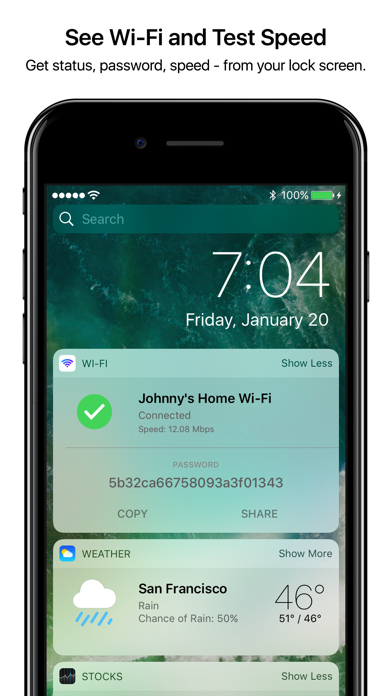
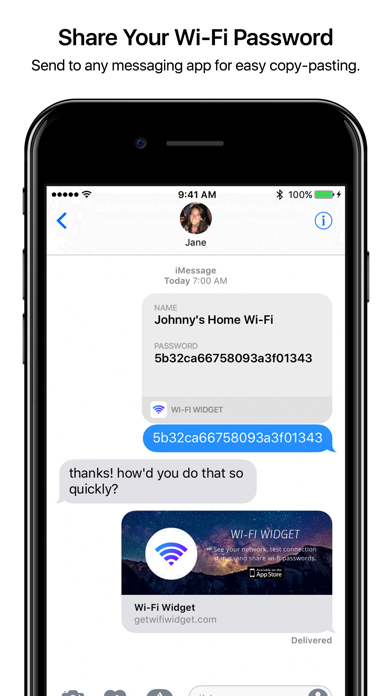
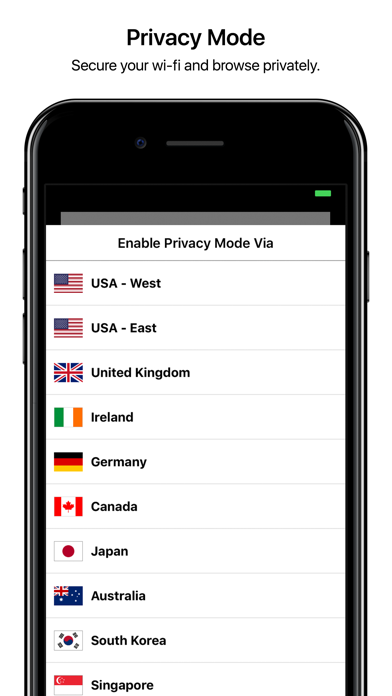
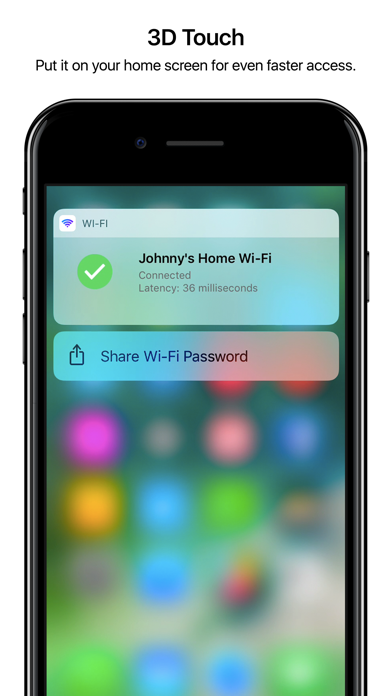
Save time and be protected with the fastest way to test, share, and secure your wi-fi, without even unlocking your iPhone. MACSTORIES ***** "Why hasn’t this been done before?" LIFEHACKER ***** "Wi-Fi Widget does what it’s supposed to do well." APPADVICE ***** "A great tool for any iOS users... easily worth the price.” - SEE YOUR WI-FI - (FREE) "No more waiting around for a page to load, then seeing a minute later that I'm on some random router named 'NETGEAR' with no internet. " - R. Dewan - SHARE PASSWORD - (FREE) "A single tap to share my wifi network and password with a colleague visiting my home. From the lock screen!" - M. Fernandez - SECURE AND PRIVATE - (FREE) Wi-Fi passwords are synced securely and privately through iCloud Keychain, so only you have access. - 3D TOUCH - (FREE) Put Wi-Fi Widget on your home screen for even faster access to your wi-fi summary and password sharing. - WIFI PRIVACY MODE - (PRO + PRIVACY) Secure your browsing against snoopers, public wifi hotspots, and even your ISP. Get anonymized through 11 countries. - SPEED+LATENCY TEST - (PRO VERSION) "How fast is my wifi? I get it by tapping the widget to get results in megabytes per second. It couldn't be easier." - D. Garg ---------- Since Wi-Fi Widget is accessible even from the lock screen, it's the fastest possible way to see, test, and share your wifi. A few scenarios with and without Wi-Fi Widget: 1) "Why Google is taking so long to load??" - WITHOUT: You seethe with anger and wonder how long you should wait until you throw your phone against the wall. - WITH: Swipe down to Today and Wi-Fi Widget shows you you’re connected to some random router named “NETGEAR” with no internet. 2) Your friend comes over and asks, “what’s the wi-fi here?”. - WITHOUT: Find that scrap of paper somewhere with the 20 character long random string, dictate it multiple times to your friend and screwing up because “sorry, M, not N… and it’s all capitalized… wait start over… okay never mind I don’t really need the internet here." - WITH: Swipe right from the lock screen and tap “Share” on Wi-Fi Widget. 3) You’re wondering “is it just my crappy Comcast cable, or is this site actually down?” - WITHOUT: You’re like, “ARGH, NEVER AGAIN, COMCAST…" - WITH: Swipe down to Today, tap Wi-Fi Widget. It immediately tells you either how quickly your connection can ping the internet, or “ERROR: Couldn't reach internet.” ---------- Why fight your wi-fi? Get the widget that saves you time and frustration. Talk to us: hello@getwifiwidget.com --- TERMS OF USE Wifi Widget contains a Pro Privacy service for our VPN service. Wifi Widget Pro subscriptions have a free one week trial, after which you will be charged to your credit card through your iTunes account. Price may vary by location. Your subscription will automatically renew unless canceled at least 24 hours before the end of the current period. You will not be able to cancel the subscription once activated. Manage Wifi Widget Pro Privacy in Account Settings after the optional upgrade. Learn more at https://getwifiwidget.com Privacy Policy - https://getwifiwidget.com/privacy Terms of Use - https://getwifiwidget.com/terms
Publisher websiteStore creative
Screenshots
Competitive set
Similar apps
Deterministic links to real stored apps matched by category, publisher, and comparable performance bands.

3d Scanner App™
AI Photo Editor Lab SRL

Adult Emoji Animated GIFs
艳 王

Anywhere Proxy
Argsment Limited

Avira Mobile Security
Avira Holding GmbH & Co. KG

CG Balancer
Vincent Toegel

CHOP VPN: Fast & Secure
Smart Soft Engineering LLC

CNH do Brasil
Servicos e Informacoes do Brasil

Decibel X PRO: dBA Noise Meter
SkyPaw Co., Limited
Methodology and provenance
Read every number with its evidence
Metadata source: Apple iTunes Search API; observed Sep 7, 2026, 9:32 PM.
Rankings: collected chart positions from the listed storefront. Missing ranks are not zeros.
Economics: downloads and gross store consumer spend are estimated, not official Apple or publisher figures.
Model: No persisted model version.
Confidence: —; intervals widen when evidence or history is limited.
Last observation: Sep 7, 2026, 9:32 PM.
See how AppTrendKit separates observations, estimates, coverage, and confidence.
Open methodology