
Research answer
What AppTrendKit can say about SuperShare today
SuperShare has no estimate-backed download or gross-consumer-spend figure that meets the public evidence contract yet.
Observed App Store metadata, chart positions, and history are shown below. Missing, non-finite, undefined-currency, or undefined-metric evidence stays missing rather than becoming zero.
Performance intelligence
Observed trajectory and estimates
Store ranks are observations. Downloads and gross store consumer spend are AppTrendKit estimates and only appear when persisted evidence exists.
Estimated downloads · 30D
ModeledNo persisted estimate
The page does not turn missing evidence into zero.
Estimated App Store gross consumer spend · 30D
ModeledNo persisted estimate
The page does not turn missing evidence into zero.
Estimated downloads · 7D
ModeledNo persisted estimate
The page does not turn missing evidence into zero.
Estimated App Store gross consumer spend · 7D
ModeledNo persisted estimate
The page does not turn missing evidence into zero.
Evidence history
Collected daily performance
No daily metric history has been persisted yet.
Rank history
Observed chart positions
Lower rank is better. Only collected observations are shown.
Coverage note
What the ranks mean
A missing rank is not treated as zero downloads or zero revenue. Apple chart feeds are bounded and may return censored or not-ranked observations outside the visible chart depth.
Read the methodStorefront mix
Top countries by estimated contribution
Country estimates are aggregated only after country-level predictions exist.
Monetization
Observed store economics signals
These are listing and product observations. They are not company revenue, subscriber counts, or advertising revenue.
App details
Store metadata
- Version
- 1.5
- Released
- Apr 18, 2011
- Last updated
- Sep 17, 2013
- Content rating
- 4+
- Default storefront
- VN
Public IAP observations
Validated in-app purchase prices
Only persisted rows with an explicit public publication boundary are shown. Missing price, currency, country, or date values stay unknown.
Listing detail
What the store says
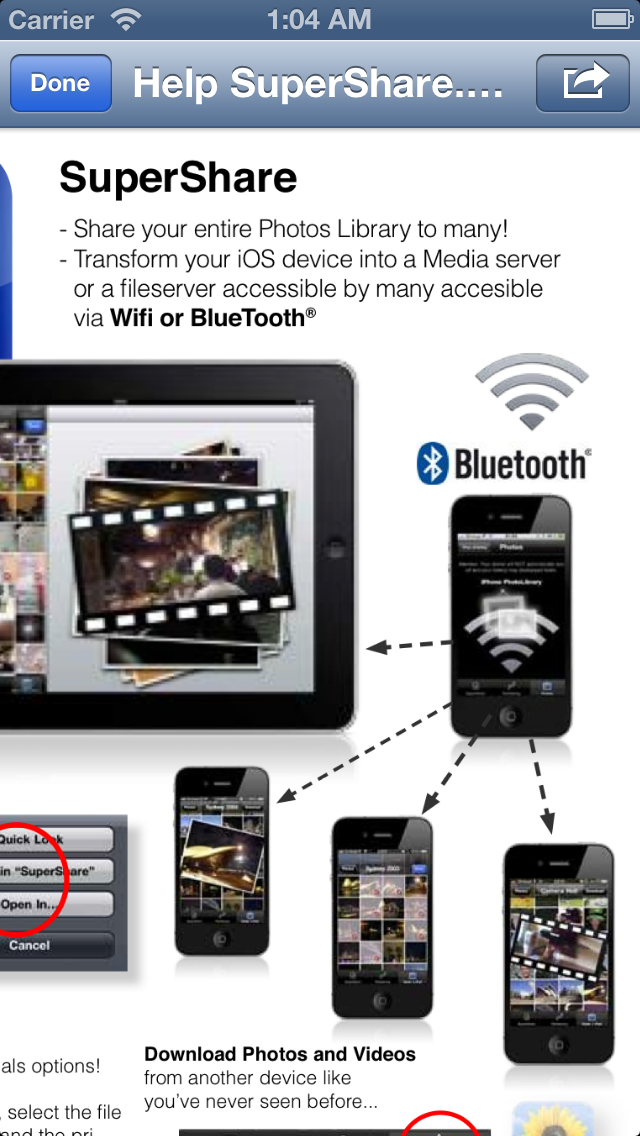
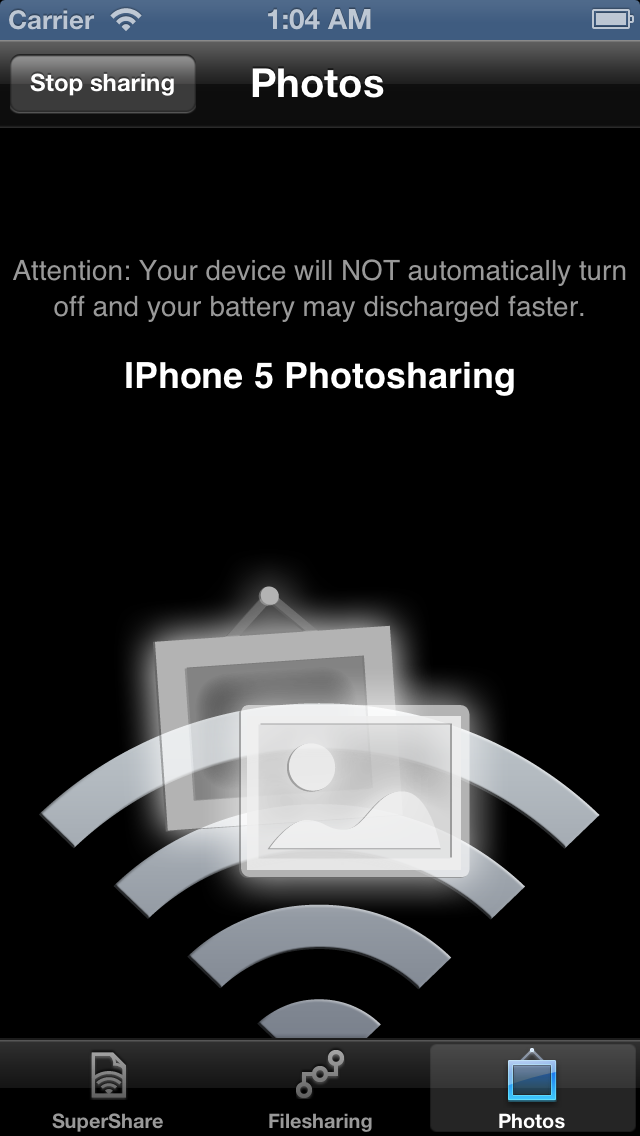
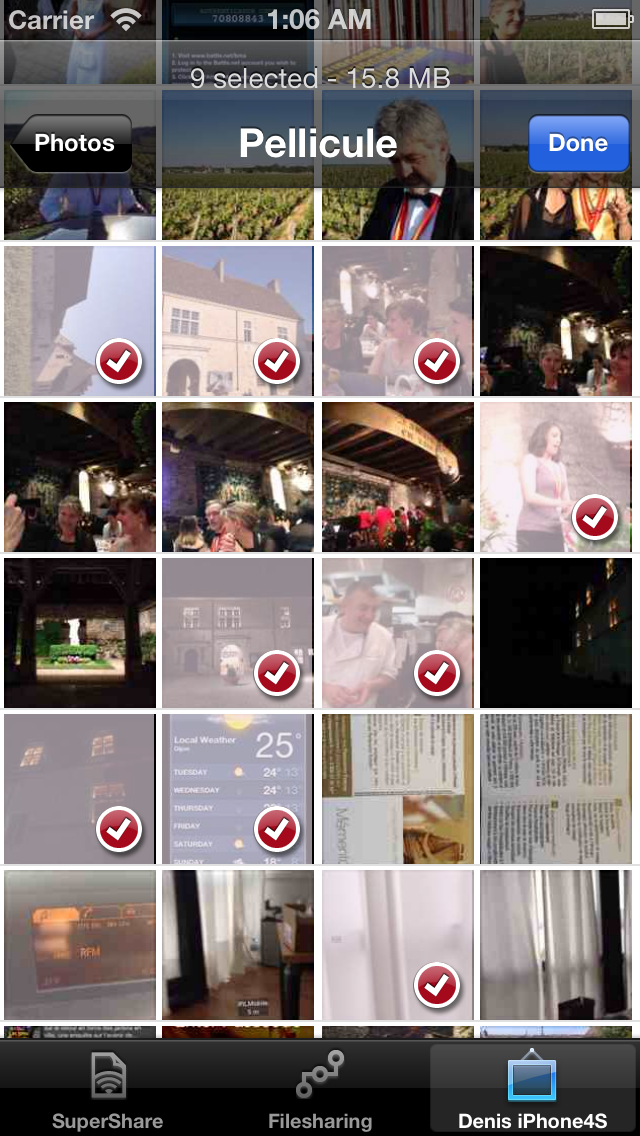
○ Share your Photos, Videos and Files by transforming your iOS device into a server, with or without authentication, accessible by multiple devices on your Wireless Network and BlueTooth®. And it works in the background ○ ●● A FILE SERVER MADE EASY AND PORTABLE ●● SuperShare is the tool any lecturer, meeting organizer or anyone who needs to share files should have. Have you ever wanted to share you slides to a whole audience, without having to spend time collecting email, copying your slides on many USB keys or connect to each individual phone? If the answer is YES, then this tool is for you! ●● HOW DOES IT WORKS ●● > Start the SuperShare fileserver or Photo Library (Photos/Videos) server with or without a passcode. > Let everyone in the audience know they can connect via the app SuperShare (or SuperShare Lite) > They can download every files, photos or videos they need* without you having to touch your device anymore. > You are done! ●● PHOTOS/VIDEOS OPERATIONS ●● > Share your entire photo library with a whole audience in just one click! > Browse the Photos/Videos on an other device running SuperShare with your iPad, iPhone or iPod Touch > Select multiple Photos/Videos in multiple albums and queue everything for downloading! ●● FILES OPERATIONS ●● > Share with a whole audience in just one click! > ZIP single files or multiple files > Email multiple files > Print, Preview, Rename, etc. > SuperShare also has the ability to work with many files format. You don't need to plug your device to a computer. Use the "Open with" option on any files from the most popular apps you already have on your device to use them in SuperShare. - iWorks (Pages, numbers, and Keynote) - Microsoft Office (Word, Excel and PowerPoint) - PDF Documents - RTF (Rich Text Format) - RTFD (TextEdit documents with embedded images) - Plain text - Most Audios files (WAV, MP3, M4A, CAF, AIF, AIFF, AAC) - Most Images type (JPG, PNG, GIF, BMP, TIF, TIFF, ICO, CUR, XBM) - Movies (MP4, MOV, MPV, 3GP, M4V) - iMovieMobile - Source code - HTML web pages - Web archives > SuperShare can work in the background! If you need to use your device for something else while you are running SuperShare, no problem it will keep the server alive for about 10 minutes. Just reopen SuperShare when you are, no-one will have notice or have been disconnected! You can of course transfer your files from/to your computer via iTunes and it will also let you organize your files as you wish on the device. ●● Check a the quick demo YouTube: http://tinyurl.com/supershare-photo # To use BlueTooth, you need to activate it in the device setting, under -> General -> Bluetooth. * BlueTooth® allow about 4/5 devices at a time and Wireless network up to 16 devices at a time. Devices are automatically disconnect if they do not download anything for 30 sec in a row!
Publisher websiteStore creative
Screenshots


Competitive set
Similar apps
Deterministic links to real stored apps matched by category, publisher, and comparable performance bands.





Methodology and provenance
Read every number with its evidence
Metadata source: Apple iTunes Search API; observed Sep 7, 2026, 9:31 PM.
Rankings: collected chart positions from the listed storefront. Missing ranks are not zeros.
Economics: downloads and gross store consumer spend are estimated, not official Apple or publisher figures.
Model: No persisted model version.
Confidence: —; intervals widen when evidence or history is limited.
Last observation: Sep 7, 2026, 9:31 PM.
See how AppTrendKit separates observations, estimates, coverage, and confidence.
Open methodology