
Screen Time Parental Control
Research answer
What AppTrendKit can say about Screen Time Parental Control today
Screen Time Parental Control has no estimate-backed download or gross-consumer-spend figure that meets the public evidence contract yet.
Observed App Store metadata, chart positions, and history are shown below. Missing, non-finite, undefined-currency, or undefined-metric evidence stays missing rather than becoming zero.
Performance
Downloads, revenue and chart history
Estimates for the last 7D. Chart positions come from the App Store; downloads and revenue are AppTrendKit estimates, shown as a size band (for example 10K–50K) with a confidence level.
Estimated downloads · 30D
Upper limitUnder 20K
Below the top 100 in Lifestyle (US)
The app is not in its category's top 100, so it has less than the app ranked #100 there. We show this limit until we have enough data for an estimate.
Estimated App Store gross consumer spend · 30D
Upper limitUnder $200K
Below the top 100 in Lifestyle (US)
The app is not in its category's top 100, so it has less than the app ranked #100 there. We show this limit until we have enough data for an estimate.
History
Collected daily performance
No daily history yet.
Rank history
Chart positions
Lower rank is better. Only collected observations are shown.
Coverage note
What the ranks mean
A missing rank is not treated as zero downloads or zero revenue. Apple chart feeds are bounded and may return censored or not-ranked observations outside the visible chart depth.
Read the methodApp Store search
Keywords Screen Time Parental Control ranks for
Observed positions in Apple's US search results, best first. Popularity is a 0–100 index, not a search count.
| Keyword | Position | Change | Popularity | Difficulty |
|---|---|---|---|---|
| screen time | #19 | new | — | — |
Storefront mix
Top countries by estimated contribution · 7D
Country figures cover the days we collected in each country, so they don't add up to the worldwide estimate. Each country shows when it was last updated.
Monetization
How the app makes money
These are listing and product observations. They are not company revenue, subscriber counts, or advertising revenue.
App details
Store metadata
- Version
- 3.72
- Released
- Dec 15, 2015
- Last updated
- Dec 7, 2022
- Content rating
- 4+
- Default storefront
- US
Public IAP observations
Validated in-app purchase prices
Only persisted rows with an explicit public publication boundary are shown. Missing price, currency, country, or date values stay unknown.
Listing detail
What the store says
Screen Time Parental Control helps parents manage their children’s screen time and app usage. Set time limits, block apps during bedtime, reward them for chores and more. Kids who have a smartphone spend an average of 7.5 hours on their devices per day. Screen Time was developed to help parents get their children to put their phones down and engage in outdoor activities, family chats at the dinner table, concentrate on their homework, and get a good night’s sleep. The free version of Screen Time arms parents with information about their children's’ smartphone and tablet usage. With the free version of our screen time tracker, you are able to: ▪ Monitor your kids’ screen time ▪ View app usage - See which apps are being used and for how long ▪ Receive a notification when your kids try to install a new app ▪ Receive a daily summary of your kids app and web usage If you decide you need to proactively manage your children's’ screen time on iPhone or iPad, our Premium version of our app gives parents greater control over their kids’ devices. With Screen Time Premium, you can: ▪ Set a specific daily time limit for your kids’ screen time ▪ Set schedules of when they can and can’t use their device ▪ Instantly pause your kids’ devices at the push of a button ▪ Block certain app activity during bedtime ▪ See exactly where your children are with GPS phone location tracking ▪ Get an alert when your child arrives or leaves a specific location ▪ Receive a daily email summary of your kids app and web usage ▪ Set tasks and chores for your kids to complete, allowing them to earn additional screen time when they’re done ▪ Use Free Play mode to temporarily override time limit settings, like during long trips ▪ Share app management with other adults in your kids’ lives ▪ Have up to 5 devices per account, so you can track multiple kids and devices All new users will get a 7 day free trial of the Premium version of Screen Time. No credit card information is needed for this free trial, and you will not be automatically charged unless you decide to sign up for a membership. Please note: Some of Screen Time’s free and premium features are unavailable for iOS devices due to Apple restrictions. Feedback If you have any problems please take a look at our help pages, or contact us via the contact page of our website. Screen Time Parental Control App Help: https://screentimelabs.com/help Screen Time Parental Control App Contact: https://screentimelabs.com/contact
Publisher websiteStore creative
Screenshots
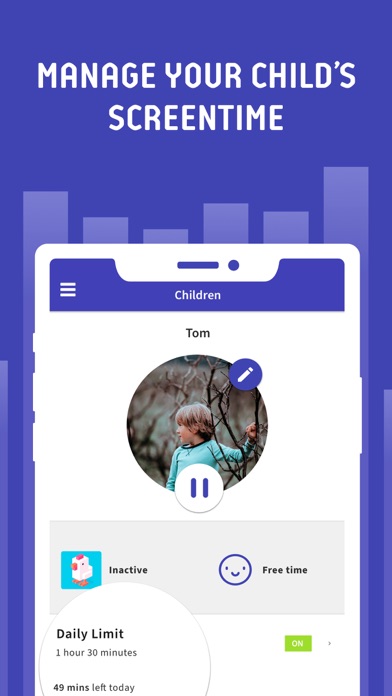


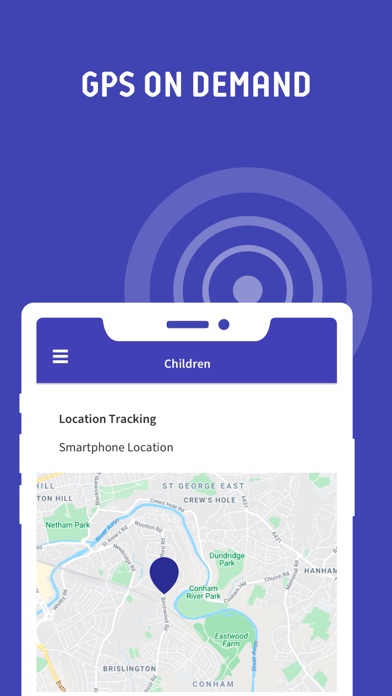


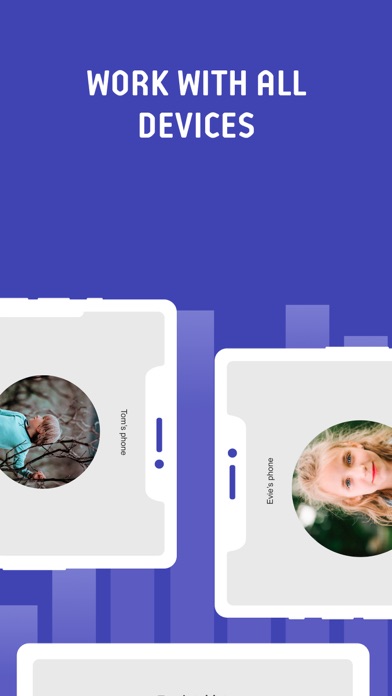


Competitive set
Similar apps
Deterministic links to real stored apps matched by category, publisher, and comparable performance bands.

myQ Garage & Access Control
The Chamberlain Group, Inc.

Amazon Alexa
AMZN Mobile LLC

Pinterest, Inc.

交管12123
Traffic Management Research Institute of the Ministry of Public Security

Bumble Dating App: Meet & Date
Bumble Holding Limited

Tinder Dating App: Date & Chat
Tinder LLC

Ford™
Ford Motor Company

Hinge Dating App: Match & Date
Hinge, Inc.
How we estimate
Where every number comes from
App details: Apple iTunes Search API, updated Sep 27, 2026, 9:15 PM.
Rankings: collected chart positions from the listed storefront. Missing ranks are not zeros.
Economics: downloads and gross store consumer spend are estimated, not official Apple or publisher figures.
Model: Lineage not exposed by this aggregate.
Confidence: —; intervals widen when evidence or history is limited.
Last updated: Sep 27, 2026, 9:15 PM.
See how AppTrendKit separates observations, estimates, coverage, and confidence.
Open methodology