
ApowerMirror- Screen Mirroring
Research answer
What AppTrendKit can say about ApowerMirror- Screen Mirroring today
ApowerMirror- Screen Mirroring has no estimate-backed download or gross-consumer-spend figure that meets the public evidence contract yet.
Observed App Store metadata, chart positions, and history are shown below. Missing, non-finite, undefined-currency, or undefined-metric evidence stays missing rather than becoming zero.
Performance
Downloads, revenue and chart history
Estimates for the last 7D. Chart positions come from the App Store; downloads and revenue are AppTrendKit estimates, shown as a size band (for example 10K–50K) with a confidence level.
Estimated downloads · 30D
Upper limitUnder 20K
Below the top 100 in Utilities (US)
The app is not in its category's top 100, so it has less than the app ranked #100 there. We show this limit until we have enough data for an estimate.
Estimated App Store gross consumer spend · 30D
Upper limitUnder $50K
Below the top 100 in Utilities (US)
The app is not in its category's top 100, so it has less than the app ranked #100 there. We show this limit until we have enough data for an estimate.
History
Collected daily performance
No daily history yet.
Rank history
Chart positions
Lower rank is better. Only collected observations are shown.
Coverage note
What the ranks mean
A missing rank is not treated as zero downloads or zero revenue. Apple chart feeds are bounded and may return censored or not-ranked observations outside the visible chart depth.
Read the methodApp Store search
Keywords ApowerMirror- Screen Mirroring ranks for
Observed positions in Apple's US search results, best first. Popularity is a 0–100 index, not a search count.
| Keyword | Position | Change | Popularity | Difficulty |
|---|---|---|---|---|
| mirroring | #9 | new | 79 | 66 |
Storefront mix
Top countries by estimated contribution · 7D
Country figures cover the days we collected in each country, so they don't add up to the worldwide estimate. Each country shows when it was last updated.
Monetization
How the app makes money
These are listing and product observations. They are not company revenue, subscriber counts, or advertising revenue.
App details
Store metadata
- Version
- 1.6.2
- Released
- Jun 28, 2017
- Last updated
- Sep 18, 2026
- Content rating
- 4+
- Default storefront
- US
Public IAP observations
Validated in-app purchase prices
Only persisted rows with an explicit public publication boundary are shown. Missing price, currency, country, or date values stay unknown.
Listing detail
What the store says
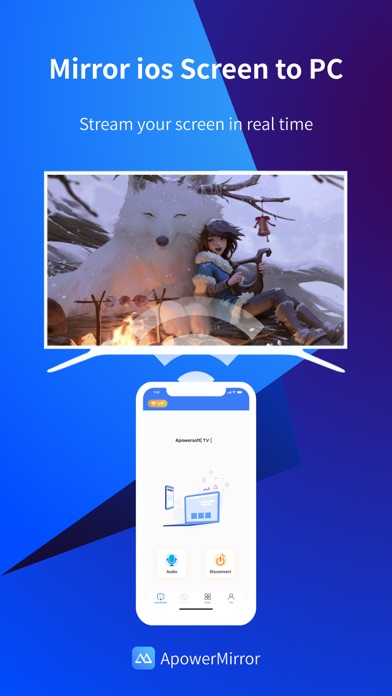
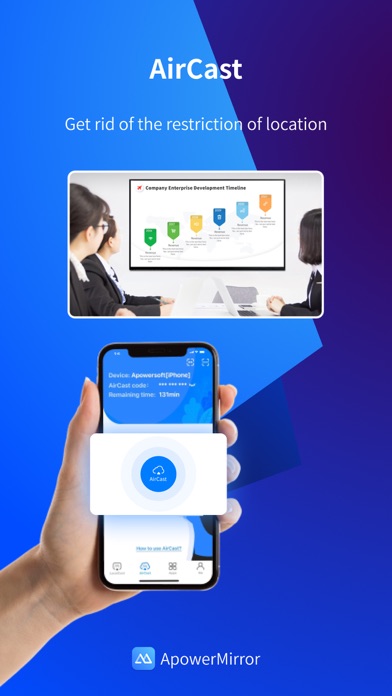
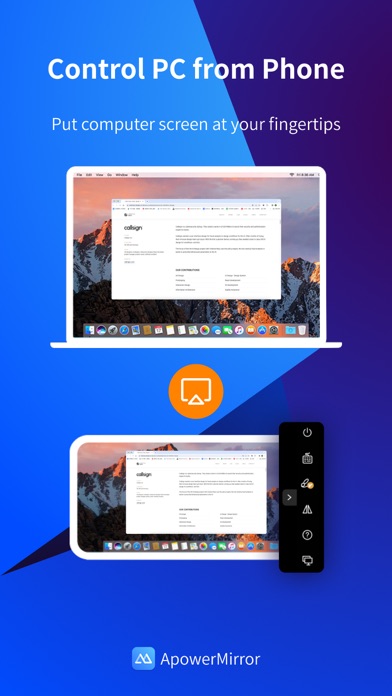
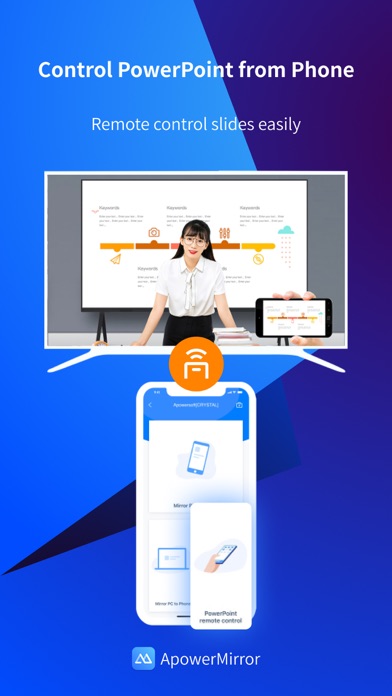
ApowerMirror is a screen mirroring app that can be used to cast phone to computer or Smart TV (TV box) with audio. It allows you to mirror&control phone from another phone freely, and you can remotely control iPhone&iPad from computer with your mouse and keyboard. Moreover, 4 devices can be streamed simultaneously without delay. ApowerMirror also performs well when streaming videos, photos and documents saved on your phone in a business meeting. ==Key Features== • Mirror Phone to computer and Vice Versa Screen sharing on the computer makes it possible to get a better video experience by watching movies from YouTube and Netflix on a bigger screen. Whether you’re playing PUBG Mobile, Call of Duty Mobile, Free Fire, Clash Royale, Pokemon GO, or any other mobile game, the app makes it easy to share gameplay with your fans during live streaming. Besides, controlling PC from phone is no longer a difficult thing. • Cast Phone to TV ApowerMirror supports screen mirroring or casting a variety of file types (including videos, pictures, and music) from phone to TV or other DLNA device. Save your eyes from the small phone screen and enjoy big screen TV series shows in the family area now. • Mirror&Control Phone from Phone ApowerMirror is also a good screen mirroring app to mirror phone to phone. You can also control the phone from another phone using ApowerMirror to watch videos and movies with your friends and share your files with your audience more efficiently. For classroom set-up, the wireless screen mirroring can introduce new ways for instructors, students, teams, and meeting groups to communicate their ideas and collaborate on projects. • Control iPhone/iPad from PC You can take full control of your iPhone/iPad device, without cables, just need to connect to PC via Bluetooth, to do whatever you want to do on your iPhone/iPad freely, ex, play games, open an app, check the phone status and send messages from WhatsApp. • Screen Sharing Between Different Networks This advanced feature is AirCast! It allows screen mirroring between devices that cannot be connected to the same network. If you use AirCast, even if you are located in different places and on different network connections, you can share the screen with each other. This can be used to mirror phone to phone, cast phone to PC, and stream PC to phone. ==Suitable for Various Screen Mirroring Occasions== * Personal use * Business meeting * Online class /Education * Live streaming from Youtube, Twitch, Facebook, Instagram, TikTok etc * Movies/Sports video mirroring * Presentation * Work from home ...... ==Quick Guide== 1. Connect your phone and computer/TV to the same WiFi network. 2. Install and run this screen casting app( ApowerMirror) on your phone and computer/TV. 3. On your iPhone, open the Control Center and then tap "Screen Mirroring". Select the name of "Apowersoft + your device" and then your phone screen will successfully be mirrored. If you want to mirror the devices from different networks, you can try the USB connection or AirCast. ==Supported Devices== 1. Windows & Mac 2. iPhone & iPad 3. Smart TV: Sony, Sharp, Philips, Hisense, Skyworth, Xiaomi, LG etc. 4. Devices with built-in DLNA or AirPlay protocol. Some projectors and car screens. Start using your favorite mouse and keyboard to take full control of phone from the computer right now! Feedback: 1. Contact us at support@apowersoft.com 2. Send feedback from "Settings" > "Feedback" on the ApowerMirror desktop program. 3. Discord: https://discord.gg/dK7y8Sf3Re
Store creative
Screenshots
Competitive set
Similar apps
Deterministic links to real stored apps matched by category, publisher, and comparable performance bands.

Google LLC

Google Chrome
Google LLC

DuckDuckGo, optional Duck.ai
Duck Duck Go, Inc.

leboncoin
LBC France

My au(マイエーユー)-料金・ギガ残量の確認アプリ
KDDI CORPORATION

My Vodafone (UK)
Vodafone Ltd

快对AI-作业助手
Guangzhou Polar Future Culture Technology Co., Ltd

dアカウント設定/dアカウントをより便利に
NTT DOCOMO, INC.
How we estimate
Where every number comes from
App details: Apple iTunes Search API, updated Sep 28, 2026, 4:29 PM.
Rankings: collected chart positions from the listed storefront. Missing ranks are not zeros.
Economics: downloads and gross store consumer spend are estimated, not official Apple or publisher figures.
Model: Lineage not exposed by this aggregate.
Confidence: —; intervals widen when evidence or history is limited.
Last updated: Sep 28, 2026, 4:29 PM.
See how AppTrendKit separates observations, estimates, coverage, and confidence.
Open methodology