
Juno Connect: Jupyter Client
Research answer
What AppTrendKit can say about Juno Connect: Jupyter Client today
Juno Connect: Jupyter Client has no estimate-backed download or gross-consumer-spend figure that meets the public evidence contract yet.
Observed App Store metadata, chart positions, and history are shown below. Missing, non-finite, undefined-currency, or undefined-metric evidence stays missing rather than becoming zero.
Performance
Downloads, revenue and chart history
Estimates for the last 7D. Chart positions come from the App Store; downloads and revenue are AppTrendKit estimates, shown as a size band (for example 10K–50K) with a confidence level.
Estimated downloads · 30D
Upper limitUnder 200
Below the top 100 in Developer Tools (AU)
The app is not in its category's top 100, so it has less than the app ranked #100 there. We show this limit until we have enough data for an estimate.
Estimated App Store gross consumer spend · 7D
UnavailableNo estimate yet
We only show an estimate once we have enough data. Missing numbers are never shown as zero.
History
Collected daily performance
No daily history yet.
Rank history
Chart positions
Lower rank is better. Only collected observations are shown.
- Free
- —
- Paid
- —
- Grossing
- #83
| Date | Free | Paid | Grossing |
|---|---|---|---|
| Sep 27, 2026 | — | — | #83 |
Coverage note
What the ranks mean
A missing rank is not treated as zero downloads or zero revenue. Apple chart feeds are bounded and may return censored or not-ranked observations outside the visible chart depth.
Read the methodStorefront mix
Top countries by estimated contribution · 7D
Country figures cover the days we collected in each country, so they don't add up to the worldwide estimate. Each country shows when it was last updated.
Monetization
How the app makes money
These are listing and product observations. They are not company revenue, subscriber counts, or advertising revenue.
App details
Store metadata
- Version
- 1.6.13
- Released
- Jan 24, 2018
- Last updated
- Sep 18, 2022
- Content rating
- 17+
- Default storefront
- AU
Public IAP observations
Validated in-app purchase prices
Only persisted rows with an explicit public publication boundary are shown. Missing price, currency, country, or date values stay unknown.
Listing detail
What the store says
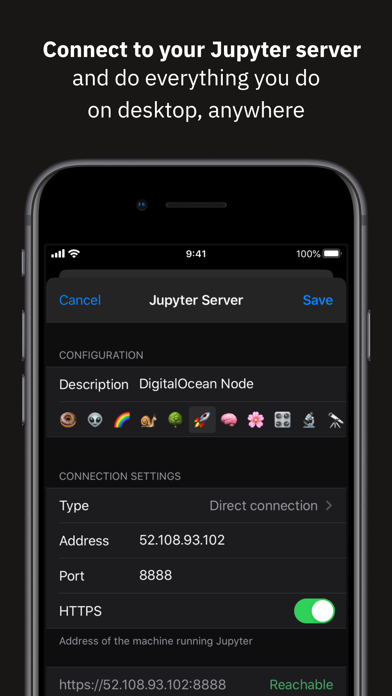
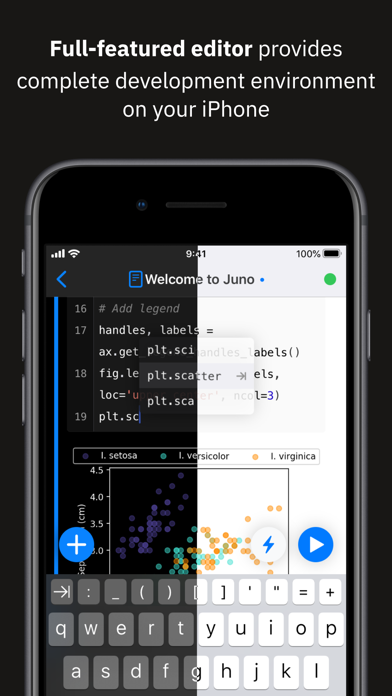
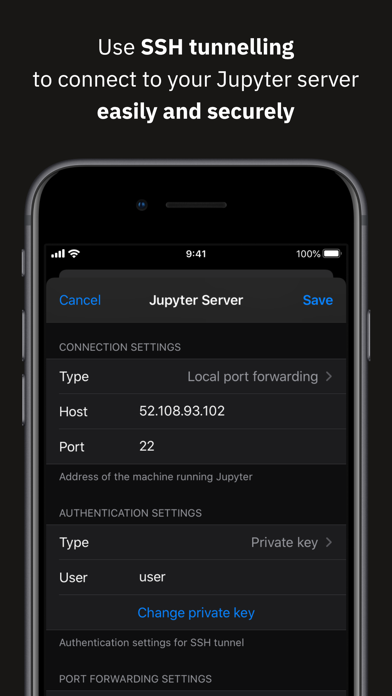
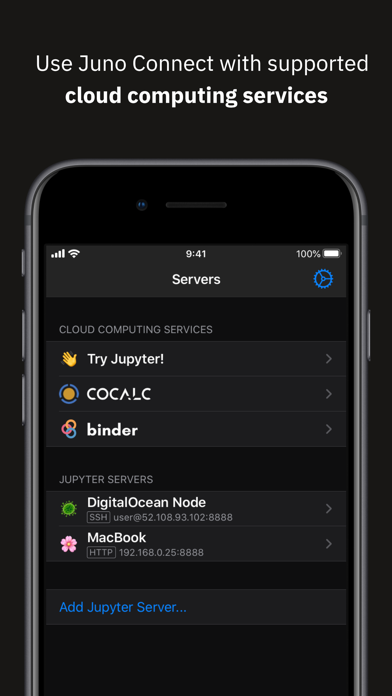
Juno Connect is a client app for Jupyter, a cloud-based computational environment. Juno Connect lets you leverage the computing power of a remote Jupyter server right from your iPhone or iPad. With Juno Connect you can: • Connect to cloud-computing services, such as CoCalc, Binder, SageMaker, Gradient or NAAS • Add and configure your own remote Jupyter servers • Leverage SSH tunneling with local port forwarding for secure connections • Take full advantage of your keyboard and trackpad in our full-featured code editor • Utilise full multitasking capabilities on iPad When you run code in Juno Connect, the actual computing is happening on a remote Jupyter server, giving you access to virtually unlimited computational resources from your iPhone or iPad. You can either connect to your own Jupyter server — directly via HTTP/HTTPS, or by establishing an SSH tunnel with local port forwarding — or use cloud computing services, such as CoCalc, Binder, SageMaker, Gradient or NAAS. And if you would rather execute code on device instead, check out our other app Juno, it lets you work with Jupyter notebooks autonomously on your iPhone or iPad. Juno Connect offers a full-featured notebook and code editor, providing a complete development environment on your iPad or iPhone. it supports Dark Mode and Dynamic Type, offers extended on-screen keyboard and works beautifully with all hardware keyboards and trackpads. Juno Connect lets you reach your Jupyter server easily and securely with SSH tunnel using local port forwarding. You can launch Juno Connect in Split-screen mode alongside other apps on iPad — run notebooks with documentation, terminal, or other code editor in front of you. WHAT IS JUPYTER? Jupyter is an interactive cloud-based computational environment, where you can combine code execution, rich text, mathematics, plots and rich media. It works with Jupyter notebooks, a computational document format that allows storing live code, markdown text, plots, images and equations in LaTeX — all wrapped into a single notebook file. Notebook documents keep record of all inputs and outputs of the interactive programming session, and the rich output generated by running R, Python or Julia scripts (including HTML, images, video, and plots) is embedded into the Jupyter notebook document. They are especially convenient if you are coding in Python for data analysis, machine learning, or computational science in general. A notebook consists of a sequence of cells, each representing either a narrative text in a form of markdown text or HTML, or a coding script with a text or media output. This makes notebooks both human-readable documents with the analysis description and the results (figures, tables, etc), as well as executable scripts for data analysis or plain programming. You can use Jupyter notebook as a document with optional executable code in it, or simply as a programming playground for data manipulation and experiments. Jupyter supports countless programming languages, including Python, R, Julia, and Scala. Jupyter lets you leverage big data tools, such as Apache Spark, from Python, R, and Scala — or explore that same data with pandas, scikit-learn, ggplot2, PyTorch and TensorFlow. And, of course, Juno Connect lets you use whichever language kernels and libraries are installed on your Jupyter server right on your iPhone or iPad.
Publisher websiteStore creative
Screenshots
Competitive set
Similar apps
Deterministic links to real stored apps matched by category, publisher, and comparable performance bands.

App Store Connect
Apple Distribution International

MySQL Mobile Client
Filippo Maguolo

Carnets - Jupyter
Nicolas Holzschuch

Shelly - SSH Client
Ville Makynen

NextVPN: Fast & Secure Proxy
Surf Safe Network Ltd

Replit: Vibe Code with AI Fast
Replit, Inc

Termix Pro: SSH & SFTP Client
Simon Zvara

TestFlight
Apple Distribution International
How we estimate
Where every number comes from
App details: Apple iTunes Search API, updated Sep 28, 2026, 12:18 AM.
Rankings: collected chart positions from the listed storefront. Missing ranks are not zeros.
Economics: downloads and gross store consumer spend are estimated, not official Apple or publisher figures.
Model: Lineage not exposed by this aggregate.
Confidence: —; intervals widen when evidence or history is limited.
Last updated: Sep 28, 2026, 3:51 PM.
See how AppTrendKit separates observations, estimates, coverage, and confidence.
Open methodology