BI OFFICIAL LIGHT STICK
Research answer
What AppTrendKit can say about BI OFFICIAL LIGHT STICK today
BI OFFICIAL LIGHT STICK has no estimate-backed download or gross-consumer-spend figure that meets the public evidence contract yet.
Observed App Store metadata, chart positions, and history are shown below. Missing, non-finite, undefined-currency, or undefined-metric evidence stays missing rather than becoming zero.
Performance
Downloads, revenue and chart history
Estimates for the last 7D. Chart positions come from the App Store; downloads and revenue are AppTrendKit estimates, shown as a size band (for example 10K–50K) with a confidence level.
Estimated downloads · 7D
UnavailableNo estimate yet
We only show an estimate once we have enough data. Missing numbers are never shown as zero.
Estimated App Store gross consumer spend · 7D
UnavailableNo estimate yet
We only show an estimate once we have enough data. Missing numbers are never shown as zero.
History
Collected daily performance
No daily history yet.
Rank history
Chart positions
Lower rank is better. Only collected observations are shown.
Coverage note
What the ranks mean
A missing rank is not treated as zero downloads or zero revenue. Apple chart feeds are bounded and may return censored or not-ranked observations outside the visible chart depth.
Read the methodStorefront mix
Top countries by estimated contribution · 7D
Country figures cover the days we collected in each country, so they don't add up to the worldwide estimate. Each country shows when it was last updated.
Monetization
How the app makes money
These are listing and product observations. They are not company revenue, subscriber counts, or advertising revenue.
App details
Store metadata
- Version
- 1.0.0
- Released
- Oct 30, 2022
- Last updated
- Oct 31, 2022
- Content rating
- 4+
- Default storefront
- IE
Public IAP observations
Validated in-app purchase prices
Only persisted rows with an explicit public publication boundary are shown. Missing price, currency, country, or date values stay unknown.
Listing detail
What the store says
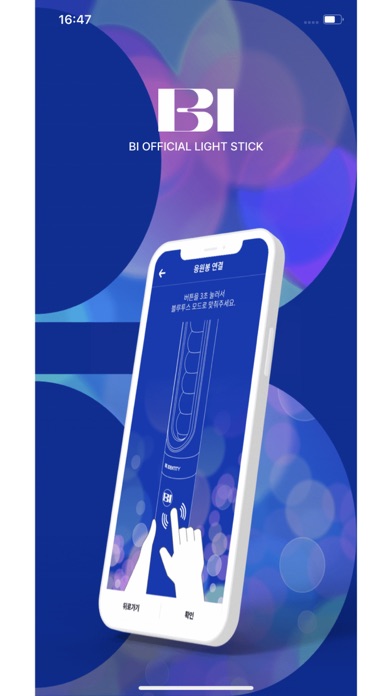
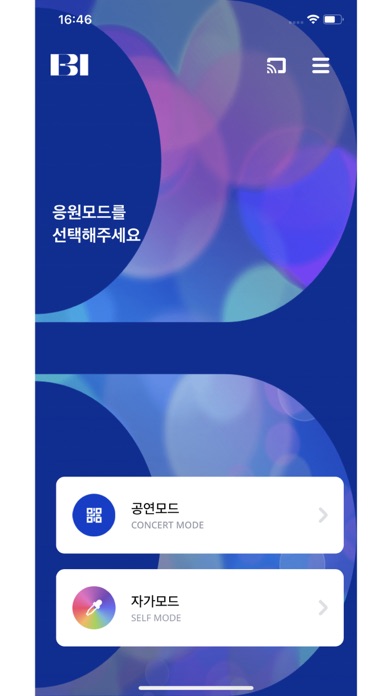
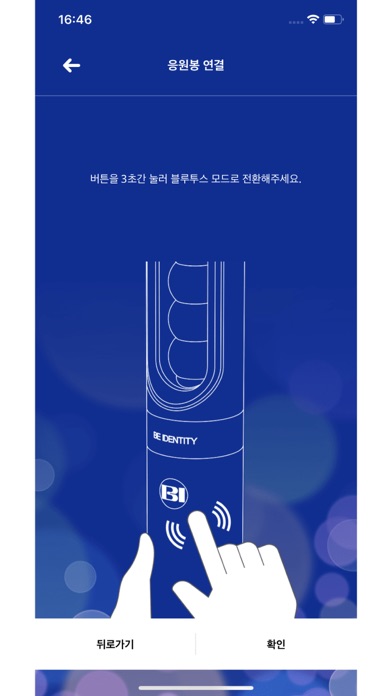
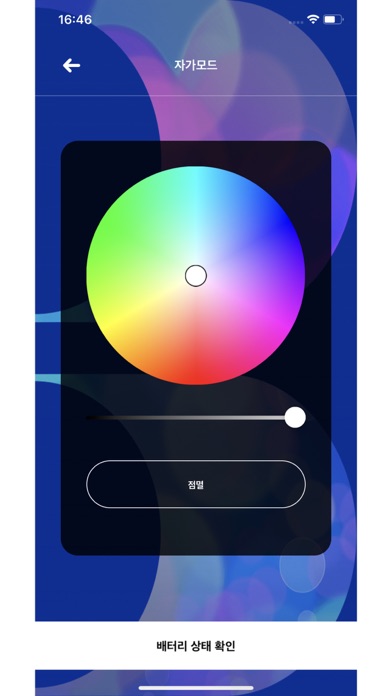
[MAIN FEATURES] 1. CONCERT MODE Pair your light stick with your concert seat information to enjoy various light stick performances during the concert. This menu will only be available during the concert period. 2. CONNECTING TO BLUETOOTH ON YOUR SMARTPHONE Press the button on the light stick for 3 seconds to set up the “Bluetooth mode.” Turn on the Bluetooth function of your smartphone and hold your smartphone close to the light stick to sync them together. Some smartphones require the GPS function to be turned on to enable Bluetooth connectivity. If you cannot connect to Bluetooth, please turn on the GPS function. 3. SELF MODE When your light stick is successfully connected to your smartphone, changing the color on the color wheel of the app will change your light stick color accordingly. 4. BATTERY LEVEL CHECK In the “Self Mode” page of the app, click the “Check Battery Status” button at the bottom of the screen to check the battery level of your light stick and replace the batteries if needed. ※ This function may differ depending on battery performance and smartphone model. [NOTICE BEFORE CONCERT] - Check the seat information on your ticket before the concert and enter it into your light stick using the app. - To take part in the light stick performance, be sure to set the light stick to “Concert Mode” by pressing its button for 3 seconds after pairing it with your seat information on the app. - If the light stick’s wireless performance does not work properly, it may be due to unsuccessful pairing or not completing the pairing process. Please complete the pairing process using the app. - Please be seated in the same seat you registered for your light stick. Moving to another seat may result in a different light stick performance. - Check the battery level of your light stick in advance to ensure battery sufficiency during the concert. - There will be a Wireless Control Fanlight Support Center located at the venue. [REQUIRED ACCESS] To use the app and the light stick, the following accesses are required. ※ To grant access, please tap the [Allow] button when the pop-up appears. - DEVICE STORAGE: To store the QR code or barcode, seat information, etc. - PHONE: To read the phone status and its identity - CAMERA: To read the QR code or barcode - GPS: To connect to Bluetooth - BLUETOOTH: To connect the light stick
Store creative
Screenshots
Competitive set
Similar apps
Deterministic links to real stored apps matched by category, publisher, and comparable performance bands.
BTS OFFICIAL LIGHT STICK
FANLIGHT Co., Ltd

BABYMONSTER LIGHT STICK
FANLIGHT Co., Ltd

TREASURE LIGHT STICK V2 APP
FANLIGHT Co., Ltd

抖音
Beijing Douyin Technology Co., Ltd.

爱奇艺-《我不是大师》以骗治骗
Beijing Qiyi Century Science & Technology Co.,LTD.

TikTok - Videos, Shop & LIVE
TIKTOK PTE. LTD.

哔哩哔哩-弹幕番剧直播高清视频
Shanghai Bilibili Animation Co.,Ltd

Netflix
Netflix, Inc.
How we estimate
Where every number comes from
App details: Apple iTunes Search API, updated Sep 28, 2026, 11:46 AM.
Rankings: collected chart positions from the listed storefront. Missing ranks are not zeros.
Economics: downloads and gross store consumer spend are estimated, not official Apple or publisher figures.
Model: Lineage not exposed by this aggregate.
Confidence: —; intervals widen when evidence or history is limited.
Last updated: Sep 28, 2026, 11:46 AM.
See how AppTrendKit separates observations, estimates, coverage, and confidence.
Open methodology