
HomeBudget Lite (w/ Sync)
Research answer
What AppTrendKit can say about HomeBudget Lite (w/ Sync) today
HomeBudget Lite (w/ Sync) has no estimate-backed download or gross-consumer-spend figure that meets the public evidence contract yet.
Observed App Store metadata, chart positions, and history are shown below. Missing, non-finite, undefined-currency, or undefined-metric evidence stays missing rather than becoming zero.
Performance
Downloads, revenue and chart history
Estimates for the last 7D. Chart positions come from the App Store; downloads and revenue are AppTrendKit estimates, shown as a size band (for example 10K–50K) with a confidence level.
Estimated downloads · 30D
Upper limitUnder 20K
Below the top 100 in Finance (US)
The app is not in its category's top 100, so it has less than the app ranked #100 there. We show this limit until we have enough data for an estimate.
Estimated App Store gross consumer spend · 30D
Upper limitUnder $10K
Below the top 100 in Finance (US)
The app is not in its category's top 100, so it has less than the app ranked #100 there. We show this limit until we have enough data for an estimate.
History
Collected daily performance
No daily history yet.
Rank history
Chart positions
Lower rank is better. Only collected observations are shown.
Coverage note
What the ranks mean
A missing rank is not treated as zero downloads or zero revenue. Apple chart feeds are bounded and may return censored or not-ranked observations outside the visible chart depth.
Read the methodStorefront mix
Top countries by estimated contribution · 7D
Country figures cover the days we collected in each country, so they don't add up to the worldwide estimate. Each country shows when it was last updated.
Monetization
How the app makes money
These are listing and product observations. They are not company revenue, subscriber counts, or advertising revenue.
App details
Store metadata
- Version
- 3.6.6
- Released
- Mar 27, 2009
- Last updated
- Aug 6, 2026
- Content rating
- 4+
- Default storefront
- US
Public IAP observations
Validated in-app purchase prices
Only persisted rows with an explicit public publication boundary are shown. Missing price, currency, country, or date values stay unknown.
Listing detail
What the store says
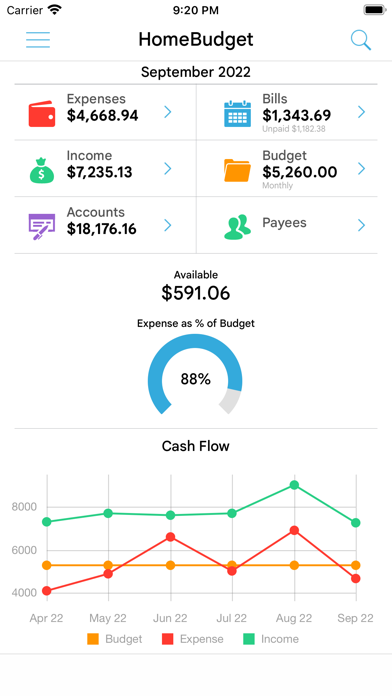
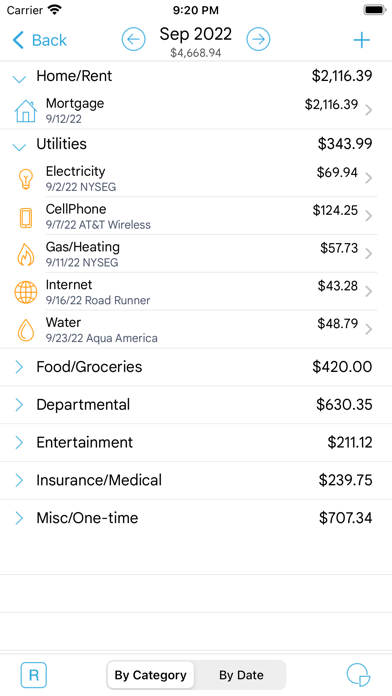
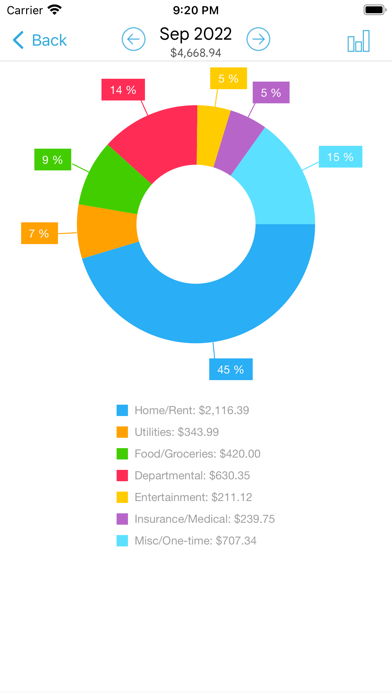
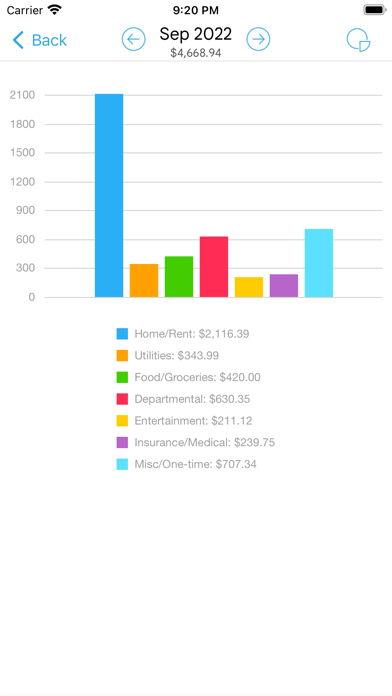
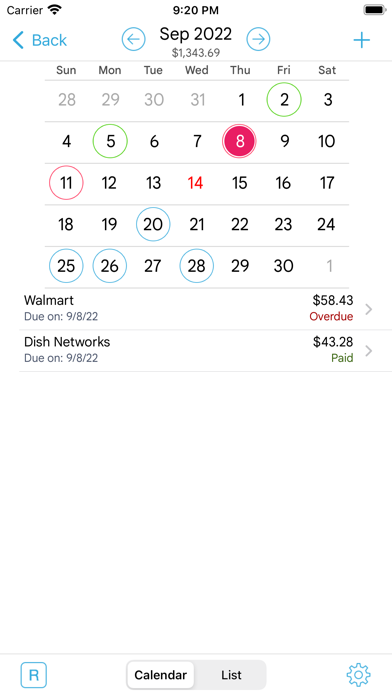
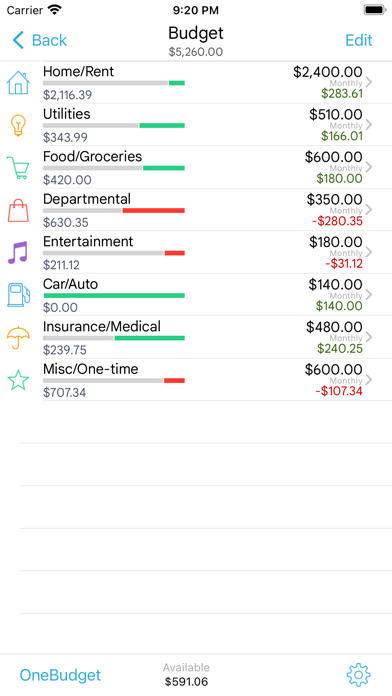
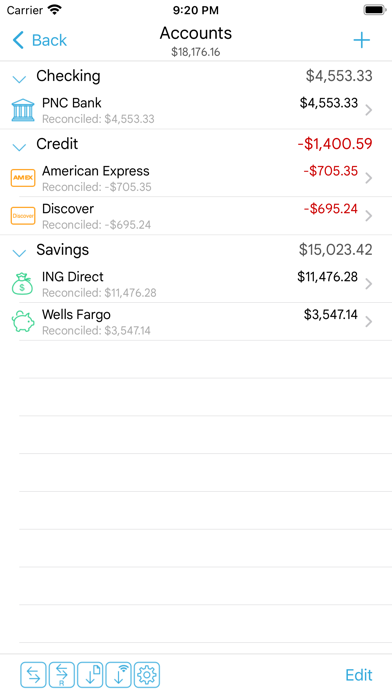
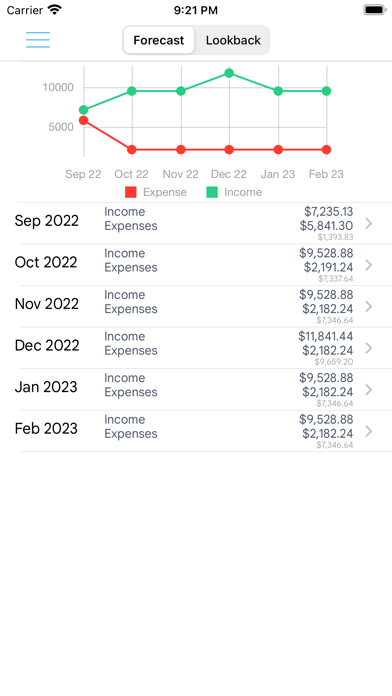
Lite version of the HomeBudget software, which is available as a paid application. Limited to 20 expense entries and 10 income entries. -- HomeBudget is an integrated expense tracker designed to help you track your expenses, income, bills-due and account balances. It offers support for budgeting, and allows analysis of your expenses and income, including charts and graphs. Two key differentiating features of HomeBudget are: 1. Integrated set of features. The features within HomeBudget are well integrated such that a bill can become an expense (when you pay for it) and also adjust the account balance at the same time. 2. Family sync. HomeBudget includes Family Sync, an advanced feature that allows a group of devices within the household to exchange expense and income information, and work together within a single budget. Once setup, the devices sync with each other automatically over the air. Family Sync works across all features including Bills and Accounts. Please refer to the Family Sync Quick Start guide at http://www.anishu.com for information on configuring Family Sync. KEY FEATURES: Expenses: - Create/Edit/Delete expenses and recurring expenses - Browse expense entries by month, by category/date with the ability to drill-down - Optionally associate an account and payee with an expense - Attach photo images of receipts; drag and resize images on screen - Support for multiple currencies and automatic exchange rate conversion - Search expense entries Income: - Create/Edit/Delete income and recurring income - Optionally associate an account with the income Bills - Create/Edit/Delete bills and recurring bills - Support for Payees, and track payments by Payee. - Make payment on bills either an as expense or as a transfer (to avoid double accounting your expenses) - Calendar and list view of Bills - Bill reminders Categories and Budget - Create/Edit/Delete expense categories and sub-categories - Set a budget, and track expenses at the category/sub-category level. - Associate icons with the categories and reorder category display order - Budget rollover - Classify expenses into fixed, variable and discretionary and compute your disposable income Accounts - Support for Accounts such as Checking, Savings, Credit, Debit, Cash, etc. - Associate your expense and income entries with your accounts and accurately track account balances. - View transactions, and do transfer between accounts. - Ability to choose a different base currency for each account Reports - Trend chart for Expense, Budget and Income for the last 6 months - Pie/Bar charts for expense break-down (Available in the Expenses screen). - Export data/reports by email or via WiFi Family Sync - Automatically sync multiple devices (iPhone, iPad, iTouch) in the household and see the same numbers on all devices over 3G and WiFi - Work within the same budget with other members of the household Other - Backup/Restore complete application data, including all receipts - Choice of color schemes: blue, iOS, orange - Ability to upload your own list of category icons - Large numeric keypad for expense/income data entry with decimal point placement automatic for your locale/region - HomeBudget follows the locale/region setting on your device and shows date and currency symbols appropriate for your region Visit http://www.anishu.com to see more screenshots, and to download the user guide (PDF, 42 pages).
Publisher websiteStore creative
Screenshots
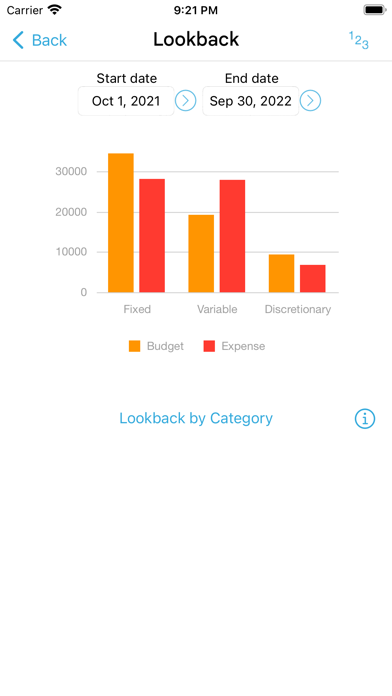
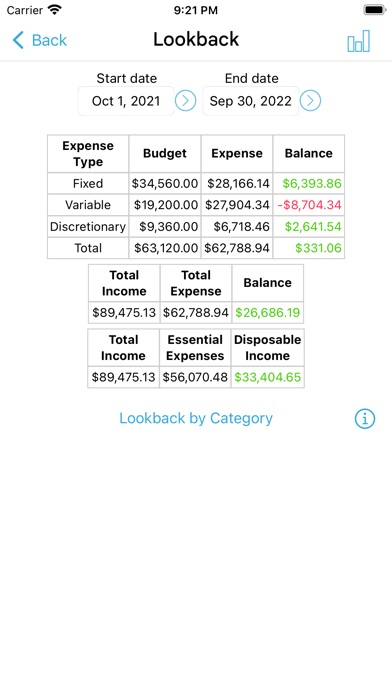
Competitive set
Similar apps
Deterministic links to real stored apps matched by category, publisher, and comparable performance bands.

HomeBudget with Sync
Anishu, Inc.

Capital One Mobile
Capital One Services, LLC

Intuit Credit Karma
Credit Karma, Inc.

Klarna: Smarter everyday money
Klarna Bank AB

Barclays
Barclays Services Limited

Google Pay: UPI, Cards, Loans
Google LLC

Coinbase: Buy Crypto & Stocks
Coinbase, Inc.

楽天カード:明細確認アプリ
RAKUTEN CARD,INC.
How we estimate
Where every number comes from
App details: Apple iTunes Search API, updated Sep 27, 2026, 9:15 PM.
Rankings: collected chart positions from the listed storefront. Missing ranks are not zeros.
Economics: downloads and gross store consumer spend are estimated, not official Apple or publisher figures.
Model: Lineage not exposed by this aggregate.
Confidence: —; intervals widen when evidence or history is limited.
Last updated: Sep 27, 2026, 9:15 PM.
See how AppTrendKit separates observations, estimates, coverage, and confidence.
Open methodology