
Tally Counters
Research answer
What AppTrendKit can say about Tally Counters today
Tally Counters has no estimate-backed download or gross-consumer-spend figure that meets the public evidence contract yet.
Observed App Store metadata, chart positions, and history are shown below. Missing, non-finite, undefined-currency, or undefined-metric evidence stays missing rather than becoming zero.
Performance
Downloads, revenue and chart history
Estimates for the last 7D. Chart positions come from the App Store; downloads and revenue are AppTrendKit estimates, shown as a size band (for example 10K–50K) with a confidence level.
Estimated downloads · 30D
Upper limitUnder 20K
Below the top 100 in Utilities (US)
The app is not in its category's top 100, so it has less than the app ranked #100 there. We show this limit until we have enough data for an estimate.
Estimated App Store gross consumer spend · 30D
Upper limitUnder $50K
Below the top 100 in Utilities (US)
The app is not in its category's top 100, so it has less than the app ranked #100 there. We show this limit until we have enough data for an estimate.
History
Collected daily performance
No daily history yet.
Rank history
Chart positions
Lower rank is better. Only collected observations are shown.
Coverage note
What the ranks mean
A missing rank is not treated as zero downloads or zero revenue. Apple chart feeds are bounded and may return censored or not-ranked observations outside the visible chart depth.
Read the methodApp Store search
Keywords Tally Counters ranks for
Observed positions in Apple's US search results, best first. Popularity is a 0–100 index, not a search count.
| Keyword | Position | Change | Popularity | Difficulty |
|---|---|---|---|---|
| counting | #23 | new | 33 | 29 |
Storefront mix
Top countries by estimated contribution · 7D
Country figures cover the days we collected in each country, so they don't add up to the worldwide estimate. Each country shows when it was last updated.
Monetization
How the app makes money
These are listing and product observations. They are not company revenue, subscriber counts, or advertising revenue.
App details
Store metadata
- Version
- 3.1
- Released
- Apr 22, 2013
- Last updated
- May 24, 2026
- Content rating
- 4+
- Default storefront
- US
Public IAP observations
Validated in-app purchase prices
Only persisted rows with an explicit public publication boundary are shown. Missing price, currency, country, or date values stay unknown.
Listing detail
What the store says
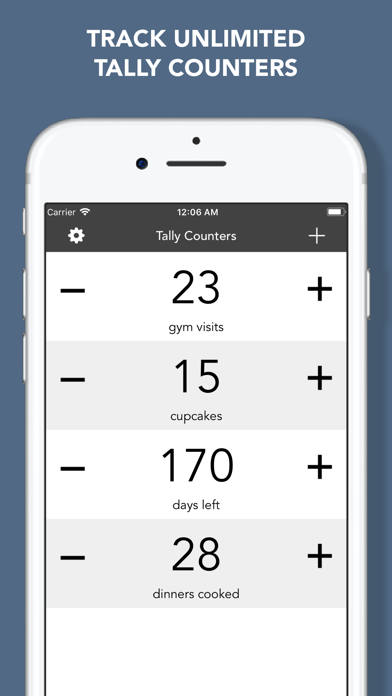
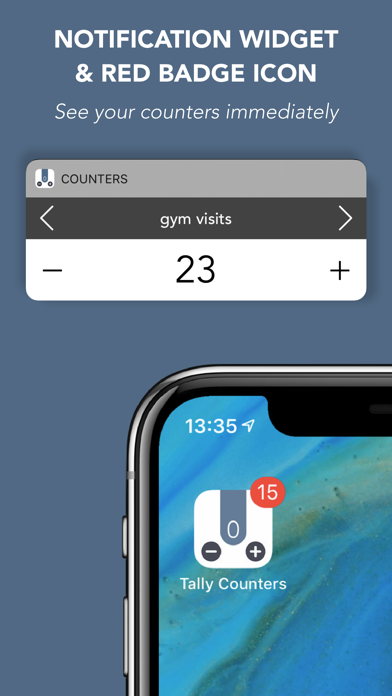
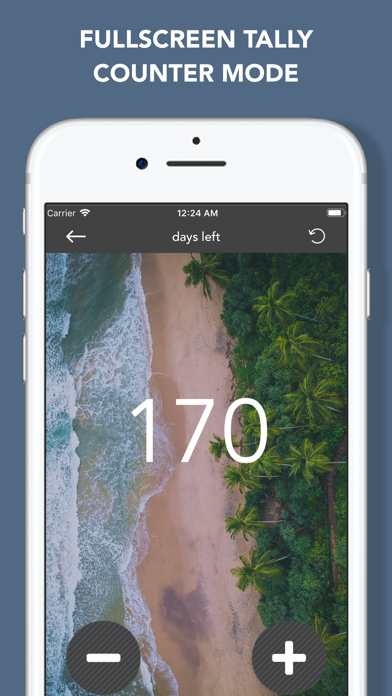
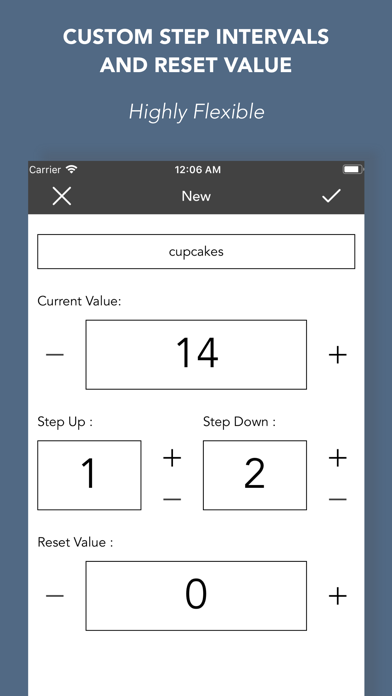
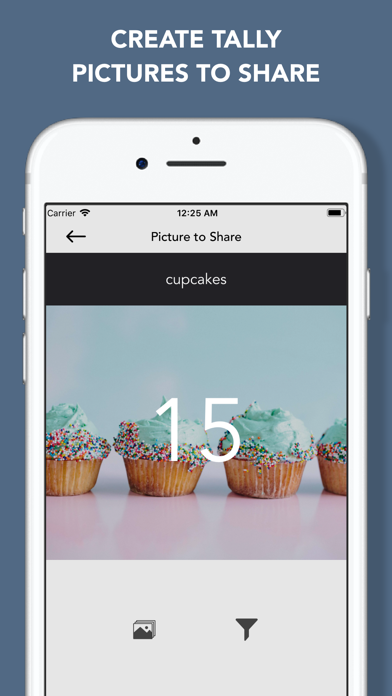
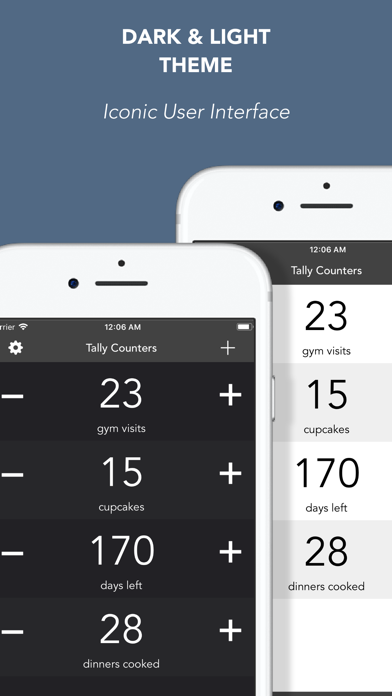
Tally Counters is a personal counter to let you easily track unlimited things in your life USE IT FOR EVERYTHING: • How many hours did i paid for? • How many cupcakes did i eat this month? • How many cigarettes did i have? • How many times did i hit the gym? • How many days left for my big event? • How many coins in my precious collection? • How many money do i have in my bank account? Anything else you can think of…. PRODUCTIVITY - Large buttons to increase and decrease counters - Set STEP UP, STEP DOWN and RESET values - Option to turn on/off sound effects - No limit to counter value INTUITIVE DESIGN • Tally Counters app was designed with simplicity and functionality • Stunning graphics make capturing values easy and awesome • Two amazing themes: dark and light • Set background image for each counter iCLOUD SYNC Sync your counters on all your devices, signed in with the same iCloud account, automatically. You don’t have to do any setup!!! RED BADGE ICON • Use the red badge icon of the app to show the value of a counter WIDGET ON TODAY OF NOTIFICATION CENTER • See your counters on notification center at a glance • Count up, down and reset • Navigate through your counters • Open the app from the widget SHARE • Share your counters from inside the app (mail, social networks, messages, copy to clipboard,…) • Create counter pics, set backgrounds, filters and share them on social networks: Instagram, Facebook, Twitter,… MORE FEATURES • Instant counter search • Sort your counters manually • Full landscape support • Ability to take screenshot of counters list • Auto-lock enable/disable • Master Reset Button: reset all counters at once LOVED BY USERS: ——————————————— Perfect!!! This app is perfect!! Simple, practical, elegant, and not needlessly complicated!! Blah2, 2014 A simple, east to use counter. Works flawlessly. If you're looking for a simple tool to count, this app works. Exactly what I wanted Tried many others. This has the best, most simple interface for my needs. Very straight forward tallying. Love it! Perfect! This was exactly what I was looking for - an app that let's you tick off numbers of things you need to do, but where the things themselves can't be differentiated, e.g. Papers you need to read, exercises you need to do. Thank you! Really useful app!!! It is very simple and easy to use. It's not like most other apps in which the apps are extremely complex and hard to use. I recommend this app for your counting jobs
Publisher websiteStore creative
Screenshots
Competitive set
Similar apps
Deterministic links to real stored apps matched by category, publisher, and comparable performance bands.

Countdown+++
Thomas Tsopanakis

Google LLC

Google Chrome
Google LLC

DuckDuckGo, optional Duck.ai
Duck Duck Go, Inc.

leboncoin
LBC France

My au(マイエーユー)-料金・ギガ残量の確認アプリ
KDDI CORPORATION

My Vodafone (UK)
Vodafone Ltd

快对AI-作业助手
Guangzhou Polar Future Culture Technology Co., Ltd
How we estimate
Where every number comes from
App details: Apple iTunes Search API, updated Sep 28, 2026, 4:25 PM.
Rankings: collected chart positions from the listed storefront. Missing ranks are not zeros.
Economics: downloads and gross store consumer spend are estimated, not official Apple or publisher figures.
Model: Lineage not exposed by this aggregate.
Confidence: —; intervals widen when evidence or history is limited.
Last updated: Sep 28, 2026, 4:25 PM.
See how AppTrendKit separates observations, estimates, coverage, and confidence.
Open methodology