
Text Viewer -텍스트 뷰어,txt reader
Research answer
What AppTrendKit can say about Text Viewer -텍스트 뷰어,txt reader today
Text Viewer -텍스트 뷰어,txt reader has no estimate-backed download or gross-consumer-spend figure that meets the public evidence contract yet.
Observed App Store metadata, chart positions, and history are shown below. Missing, non-finite, undefined-currency, or undefined-metric evidence stays missing rather than becoming zero.
Performance
Downloads, revenue and chart history
Estimates for the last 7D. Chart positions come from the App Store; downloads and revenue are AppTrendKit estimates, shown as a size band (for example 10K–50K) with a confidence level.
Estimated downloads · 7D
UnavailableNo estimate yet
We only show an estimate once we have enough data. Missing numbers are never shown as zero.
Estimated App Store gross consumer spend · 7D
UnavailableNo estimate yet
We only show an estimate once we have enough data. Missing numbers are never shown as zero.
History
Collected daily performance
No daily history yet.
Rank history
Chart positions
Lower rank is better. Only collected observations are shown.
- Free
- #36
- Paid
- —
- Grossing
- #71
- Free
- #33
- Paid
- —
- Grossing
- #93
- Free
- —
- Paid
- —
- Grossing
- #95
| Date | Free | Paid | Grossing |
|---|---|---|---|
| Sep 27, 2026 | #36 | — | #71 |
| Sep 28, 2026 | #33 | — | #93 |
| Sep 29, 2026 | — | — | #95 |
Coverage note
What the ranks mean
A missing rank is not treated as zero downloads or zero revenue. Apple chart feeds are bounded and may return censored or not-ranked observations outside the visible chart depth.
Read the methodStorefront mix
Top countries by estimated contribution · 7D
Country figures cover the days we collected in each country, so they don't add up to the worldwide estimate. Each country shows when it was last updated.
Monetization
How the app makes money
These are listing and product observations. They are not company revenue, subscriber counts, or advertising revenue.
App details
Store metadata
- Version
- 1.409
- Released
- Nov 29, 2017
- Last updated
- Sep 22, 2026
- Content rating
- 4+
- Default storefront
- KR
Public IAP observations
Validated in-app purchase prices
Only persisted rows with an explicit public publication boundary are shown. Missing price, currency, country, or date values stay unknown.
Listing detail
What the store says
텍스트 파일(txt,ePub)을 스마트폰에서 볼 수 있는 심플한 텍스트 소설 뷰어 앱 이제 텍스트 소설을 E북 처럼 보세요. 아이폰, 아이패드, 맥(Apple Silicon) 모두 지원하고 자동 회전, 폰트, 색상, 파일 분할, 화면 밝기 등 다양한 기능을 지원합니다. (* 맥 에서는 일부 기능이 지원되지 않을 수 있습니다) 텍스트 파일로 소설을 편하게 보기 위해서 만들었습니다. 더욱 편안하게 볼 수 있도록 개선하고 있습니다. 설치 후 문의 사항 및 건의 사항은 junhuloveapple@gmail.com 또는 앱의 설정 화면 오른쪽 위에 있는 메일 보내기 버튼으로 보내주세요 빠르게 답변하고 업데이트되도록 하겠습니다. (댓글로 문의를 하면 애플의 댓글 시스템에 의해서 답변이 하루 정도 걸릴 수 있습니다. 빠른 답변을 원하시면 메일로 보내주세요) ** 특징 ** - txt 확장자 파일 - ePub 파일 소설 , ePub 에서 텍스트만 표시 해서 기존 txt 파일과 동일하게(동일한 기능으로) 볼 수 있습니다. (이미지, 오디오 등의 미디어 미지원, 챕터 기능 미지원) - 폰, 패드, 맥(Apple Silicon) 지원 - UTF-8 인코딩 기본 지원, 다국어 인코딩 지원 - PC 웹 브라우저를 통한 업로드 (WIFI) - "드롭박스, 원드라이브" 는 직접 로그인 및 파일 탐색, 다운로드 - iCloud, 드롭박스, 원드라이브, Mega, Box 등 클라우드 앱에서 파일 가져오기 (먼저 클라우드 앱 설치와 로그인 필요) - iCloud Drive - KomiBooks 폴더의 파일 다운로드 및 바로보기 (iOS 18+) - FTP 지원, SFTP 지원, FTPS 미지원 - WebDav, SMB, 시놀로지나스 - 클라우드 앱, 메일 첨부 파일에서 파일 복사 - 압축파일 안에 포함된 텍스트 파일 탐색과 보기 - 잠긴 압축 파일 압축해제 지원 - 클립보드에 복사한 글자를 txt 파일로 변환 - '바로보기' 기능 지원 , 파일을 다운로드 후에 바로 오픈하는 기능. - 폰트 종류 선택 가능, 아이폰 기본 폰트외에 다른 한글 폰트 - 한글 기본 폰트 : 리디폰트, KoPub 바탕, 나눔 고딕, 나눔 명조, 나눔 스퀘어, 한수원 한돋움, 스포카 한 산스, 야놀자 야체, 배민(도현체, 주아체, 한나체) - 폰트 파일 (ttf, otf) 등록 : 폰트 파일을 추가 후 앱에서 파일을 클릭 하면 등록 가능합니다. 설정의 "폰트 - 종류" 항목에서 사용 설정 할 수 있습니다. - 글자 크기, 간격, 굵기, 정렬 - 좌우 여백, 상하 여백 (상하 여백은 인앱구매필요) - 야간 모드와 일반 모드, 배경과 글자의 색상과 밝기도 수정 가능 - 종이 질감의 배경 - 페이지 전환 애니메이션 효과 - 탭과 드래그 그리고 스크롤(위아래) 로 페이지 이동 - 다양한 빈줄/줄넘김 처리 : 빈 줄을 제거 (빈 줄 제거), 빈 줄에 빈 줄을 하나 더 추가 (빈 줄 추가), 모든 줄넘김을 제거 (줄넘김 제거), 문장 마지막에 빈줄 추가 (문장 끝 빈줄) - 한글 파일은 자동 줄 정리 - 밑줄 기능 : 세가지 밑줄 종류, 밑줄 투명도, 밑줄과 글자 간 간격 설정도 가능, 노트 같은 느낌 (인앱구매, 리워드 필요) - 문장 들여쓰기(빈칸) 지원, 간격 조정도 가능 - 한국어 단어 줄 넘김 지원 - 가로와 세로 회전 지원 - 아이패드 멀티태스킹 화면 지원 - 화면 밝기 조절 - 파일 분할 기능 : 2MB 이상 파일을 일정한 크기의 파일로 분할 - 앱 잠금, 파일 잠금 기능 - 폴더와 파일 관리 - 검색 - 북마크 - 페이지 숫자 입력으로 바로 이동 - 화면 꺼짐 옵션, 기본 OFF 로 셋팅, 설정에서 변경 - 마지막 파일 이어보기 - 세로 스크롤 기능 : 사용자가 직접 세로로 스크롤 해서 내릴 수 있습니다. - 다음 책 자동 전환 옵션, 기본 수동, 설정에서 자동으로 변경 - 다크 모드 - iCloud 동기화 : 읽은 파일의 정보 (읽은 위치) 를 동기화하고 다른 기기 (같은 iCloud 계정으로 로그인 된) 에서 동일한 파일을 오픈하면 이어서 볼 수 있습니다. (북마크 정보도 동기화 됩니다.) - 페이지 넘기는 효과음 : 페이지 애니메이션을 "페이지 말림" 으로 설정하면 책을 넘기는 효과음을 들을 수 있습니다. (리워드, 인앱구매 필요) - 자동 스크롤 기능 (텍스트 파일) : 세로로(아래로) 자동 스크롤이 가능합니다. 1초 (빠르게) ~ 30초 (느리게) 로 한 페이지가 넘어가는 총 시간(속도)을 설정할 수 있습니다. (인 앱 구매에 포함) - 블루투스 키보드 : 페이지 전환 및 화면 닫기 기능 지원, 방향키(asdw) 페이지 전환, ESC 키 뷰어 화면 닫기 (인 앱 구매에 포함, 블루투스 키보드를 아이폰/아이패드에 먼저 연결해주세요.) - 패드에서 "두 페이지 보기" 지원 : 왼쪽-오른쪽, 오른쪽-왼쪽 페이지 방향도 선택 가능, 페이지 간격은 "좌우 여백" 값으로 조정하세요. (인 앱 구매에 포함, 패드 만 지원, 두 페이지 모드 중에는 스크롤과 자동 스크롤을 사용할 수 없습니다. ) - 볼륨을 변경하면 다음 페이지로 변환되는 기능 (소리 크기도 같이 변경됩니다. 주의하세요. 설정에서 ON 으로 변경하세요. 인앱구매 또는 리워드 시청 필요.) - 가로회전 시 두 페이지 모드 : 가로 회전 시 두 페이지 적용, 세로 회전 시 한 페이지 적용 (아이패드 전용, 인앱구매) - 애플펜슬(2세대~) 더블탭으로 다음페이지 전환 기능 (인앱구매에 포함, 아이패드만 지원 - 볼륨으로 페이지 변경 시, 단방향으로만 이동하는 옵션 제공 (인앱구매 필요) - 스와이프로 화면 닫기 : 화면의 왼쪽에서 오른쪽으로 스와이프(드래그) 해서 화면을 닫는 기능 제공 , 기본은 OFF, 설정에서 "스와이프로 화면 닫기" 옵션에서 변경 (리워드/인앱구매 필요) - 눈깜박임 : 눈깜박임을 인식해서 페이지를 전환 (아이폰만 지원, iOS 18+, 인앱구매필요) ** 클라우드의 파일을 가져오기 위해서 먼저 아이폰에 클라우드 앱을 설치하고 로그인해주세요. ** 네이버 클라우드 앱에서는 “보내기 - 다른 앱으로 열기” 를 통해서 파일을 복사할 수 있습니다. ** 앱에 넣은 파일은 백업과 복원이 불가능합니다. 꼭 별도의 공간에 원본을 보관하세요. ** 구매내역 확인 및 환불은 앱스토어 계정의 '구입내역'에서 확인 및 요청할 수 있습니다. ** ** 문의 메일 : junhuloveapple@gmail.com ** ** 코미소프트(380-24-00601, 대표 : 김주영) **
Publisher websiteStore creative
Screenshots
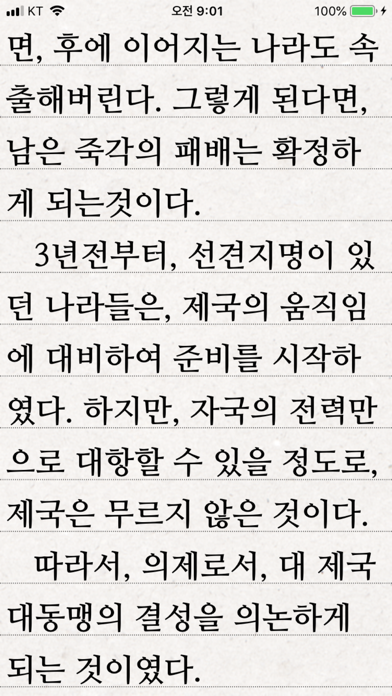

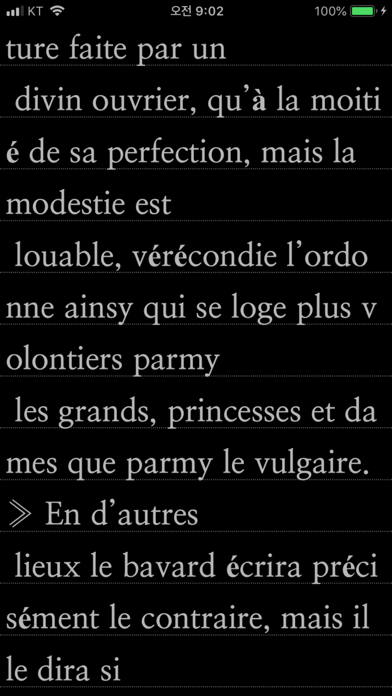


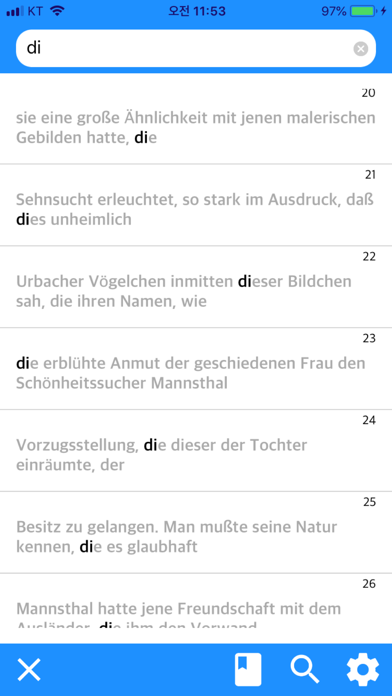


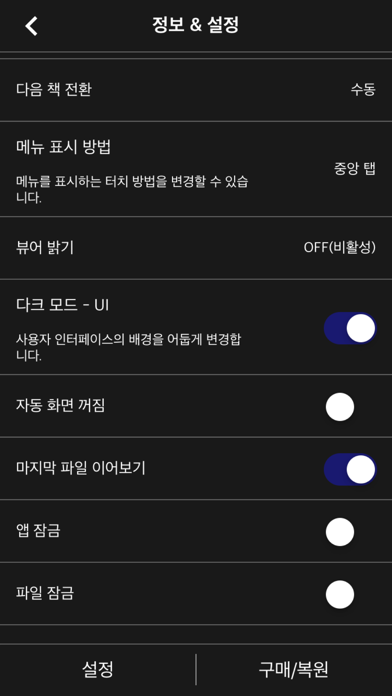
Competitive set
Similar apps
Deterministic links to real stored apps matched by category, publisher, and comparable performance bands.

만화와 텍스트 - TXT 와 압축파일(+ PDF) 뷰어
kim juyoung

Manga Viewer - CBZ(CBR) Reader
kim juyoung

공플 - MP3 & MP4 구간 반복 어학기
kim juyoung

Manobook: My Good Story Reader
CHANGDU (HK) TECHNOLOGY LIMITED

Amazon Kindle: Reading App
AMZN Mobile LLC

Audible: Audiobooks & Podcasts
Audible, Inc.

ピッコマ
Kakao piccoma Corp.

番茄畅听-海量小说音乐评书全场畅听
Beijing Zhending Technology Co., Ltd.
How we estimate
Where every number comes from
App details: Apple iTunes Search API, updated Sep 28, 2026, 1:14 AM.
Rankings: collected chart positions from the listed storefront. Missing ranks are not zeros.
Economics: downloads and gross store consumer spend are estimated, not official Apple or publisher figures.
Model: Lineage not exposed by this aggregate.
Confidence: —; intervals widen when evidence or history is limited.
Last updated: Sep 29, 2026, 3:27 PM.
See how AppTrendKit separates observations, estimates, coverage, and confidence.
Open methodology