
Manga Viewer - CBZ(CBR) Reader
Research answer
What AppTrendKit can say about Manga Viewer - CBZ(CBR) Reader today
Manga Viewer - CBZ(CBR) Reader has no estimate-backed download or gross-consumer-spend figure that meets the public evidence contract yet.
Observed App Store metadata, chart positions, and history are shown below. Missing, non-finite, undefined-currency, or undefined-metric evidence stays missing rather than becoming zero.
Performance
Downloads, revenue and chart history
Estimates for the last 7D. Chart positions come from the App Store; downloads and revenue are AppTrendKit estimates, shown as a size band (for example 10K–50K) with a confidence level.
Estimated downloads · 7D
UnavailableNo estimate yet
We only show an estimate once we have enough data. Missing numbers are never shown as zero.
Estimated App Store gross consumer spend · 7D
UnavailableNo estimate yet
We only show an estimate once we have enough data. Missing numbers are never shown as zero.
History
Collected daily performance
No daily history yet.
Rank history
Chart positions
Lower rank is better. Only collected observations are shown.
Coverage note
What the ranks mean
A missing rank is not treated as zero downloads or zero revenue. Apple chart feeds are bounded and may return censored or not-ranked observations outside the visible chart depth.
Read the methodStorefront mix
Top countries by estimated contribution · 7D
Country figures cover the days we collected in each country, so they don't add up to the worldwide estimate. Each country shows when it was last updated.
Monetization
How the app makes money
These are listing and product observations. They are not company revenue, subscriber counts, or advertising revenue.
App details
Store metadata
- Version
- 1.388
- Released
- Nov 9, 2017
- Last updated
- Sep 22, 2026
- Content rating
- 4+
- Default storefront
- ZA
Public IAP observations
Validated in-app purchase prices
Only persisted rows with an explicit public publication boundary are shown. Missing price, currency, country, or date values stay unknown.
Listing detail
What the store says
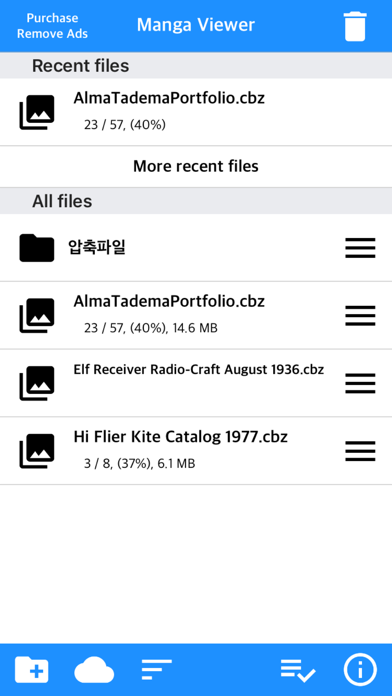
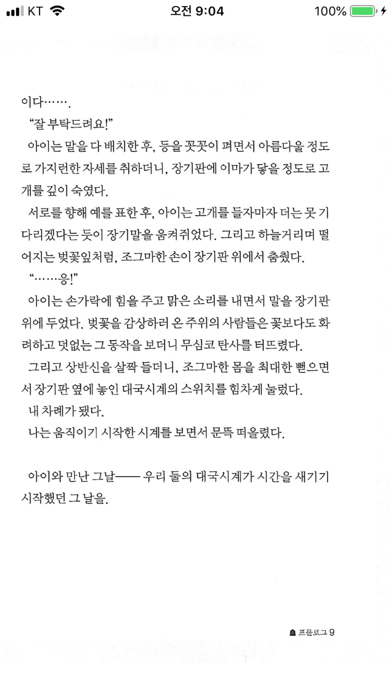
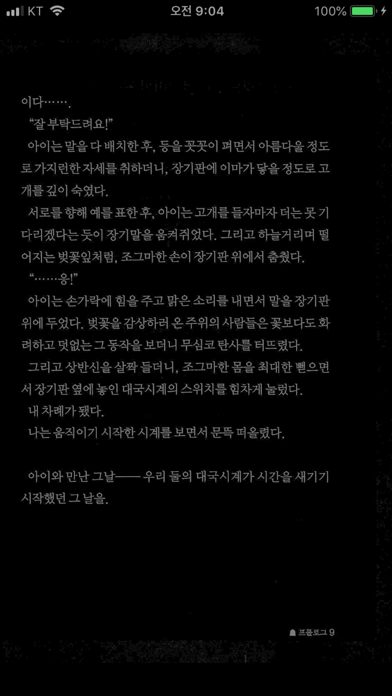
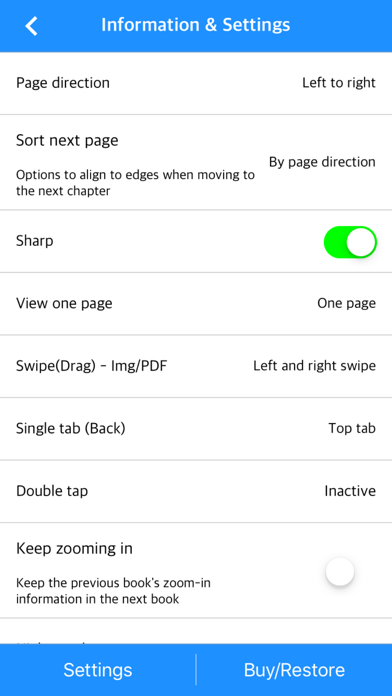
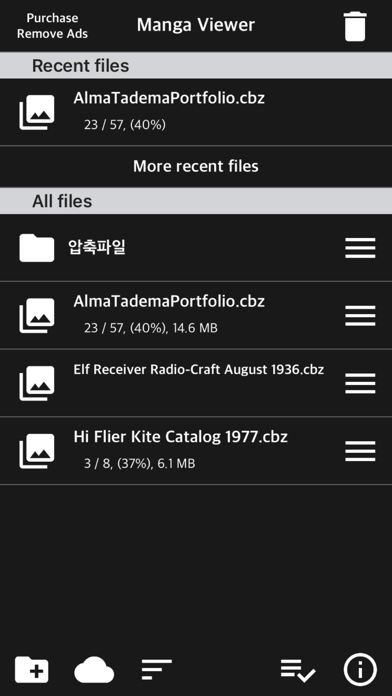
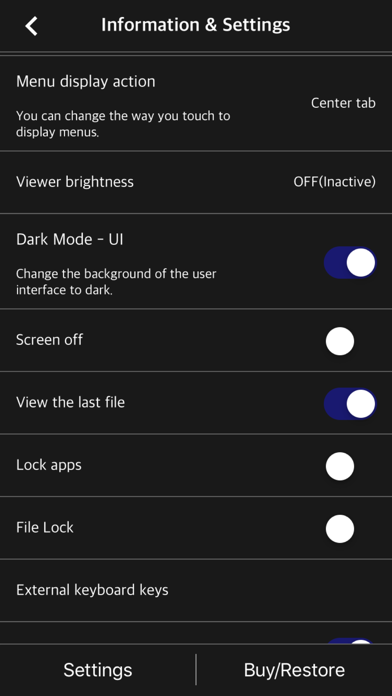
The simplest viewer app for viewing comic, fictional image archives Such as a cartoon or a novel, on a smartphone You can see it anywhere. Now that you've installed the app Try transferring files on your PC with WiFi * Some functions may not be supported on Mac(Apple Silicon) ** Characteristic ** - zip, rar, 7z, cbz, cbr, cb7 compressed files are supported (png, jpeg, jpg, gif, bmp, tif, tiff, jxl(iOS 26+), heif(iOS 18+) extension images are included, webp format is supported from iOS14) - Support for locked files (zip, rar, 7z, pdf) - PDF file support - TIF/TIFF file support (like PDF file, change in settings) - Upload via PC web browser (WIFI) - Import files from cloud apps such as iCloud, dropbox, circle drive, and Box - FTP support: browse, download - SSHFTP support - Secure FTP not supported - Cloud apps support file copy from mail attachments - one page view, two page view - Sharpen image filter - IPhone, iPad, Mac(Apple Silicon) support - Rotate the screen both horizontally and vertically - Image next page Zoom-in keep-alive function: Apply the previous book's zoom-in status in the following book. Please change your settings. - Screen off option: When set to ON, the screen automatically turns off at the time the device turns off. - Last file view, On / Off in setting - Next book auto-switching options: If you automatically change the next book switching option in Settings, tabs on the last page will automatically switch to the next book. (Default manual) - iCloud Sync : Synchronize the information (read location) of the read file and open the same file on another device (signed in with the same iCloud account) so that you can see it again. - Two pages in landscape mode: Two pages in landscape rotation, one page in vertical rotation, iPad only -Vertical scroll mode (= webtoon mode): scrolls vertically like webtoons, one-page mode is fixed, and some options are fixed and not applied. - Image / PDF Night mode: Invert color / Image brightness (1 to 3 steps), in-app purchase required - Night Mode - Invert Color: Invert the white background to black (gray) and black to white. This mode is suitable for viewing novels. - Night Mode - Image Brightness: You can change the brightness of the image in three steps without changing the screen brightness of the device. - Bluetooth keyboard: Supports page switching and screen closing function, direction key (asdw) page switch, ESC key viewer screen close (in-app purchase required) - A function that changes to the next page when the volume is changed. (The sound size will change as well. Please be careful. ON / OFF in setting. Need an in-app purchase or reward view.) - Blink: Recognizes eye blinks to switch pages (iPhone only, iOS 18+, in-app purchase required) - Automatic Image Crop: Automatically crops the empty space on all four sides of images with a white background. (iOS 16+, in-app purchase required) - Content Color: You can change and unify the content (pictures or text) within the image to a single color. A background color is applied to the image background excluding the content (In-app purchase required) - Select text: Long-click to select text within a page and copy, search, translate, or share (iOS 18+, in-app purchase required) Please send bugs or suggestions to junhuloveapple@gmail.com at the top right of the setting screen.
Publisher websiteStore creative
Screenshots

Competitive set
Similar apps
Deterministic links to real stored apps matched by category, publisher, and comparable performance bands.

Text Viewer -텍스트 뷰어,txt reader
kim juyoung

만화와 텍스트 - TXT 와 압축파일(+ PDF) 뷰어
kim juyoung

공플 - MP3 & MP4 구간 반복 어학기
kim juyoung

Manobook: My Good Story Reader
CHANGDU (HK) TECHNOLOGY LIMITED

Amazon Kindle: Reading App
AMZN Mobile LLC

Audible: Audiobooks & Podcasts
Audible, Inc.

ピッコマ
Kakao piccoma Corp.

番茄畅听-海量小说音乐评书全场畅听
Beijing Zhending Technology Co., Ltd.
How we estimate
Where every number comes from
App details: Apple iTunes Search API, updated Sep 27, 2026, 9:17 PM.
Rankings: collected chart positions from the listed storefront. Missing ranks are not zeros.
Economics: downloads and gross store consumer spend are estimated, not official Apple or publisher figures.
Model: Lineage not exposed by this aggregate.
Confidence: —; intervals widen when evidence or history is limited.
Last updated: Sep 28, 2026, 9:34 PM.
See how AppTrendKit separates observations, estimates, coverage, and confidence.
Open methodology