Research answer
What AppTrendKit can say about Manual Cam today
Manual Cam has no estimate-backed download or gross-consumer-spend figure that meets the public evidence contract yet.
Observed App Store metadata, chart positions, and history are shown below. Missing, non-finite, undefined-currency, or undefined-metric evidence stays missing rather than becoming zero.
Performance
Downloads, revenue and chart history
Estimates for the last 7D. Chart positions come from the App Store; downloads and revenue are AppTrendKit estimates, shown as a size band (for example 10K–50K) with a confidence level.
Estimated downloads · 30D
Upper limitUnder 50K
Below the top 100 in Photo & Video (US)
The app is not in its category's top 100, so it has less than the app ranked #100 there. We show this limit until we have enough data for an estimate.
Estimated App Store gross consumer spend · 30D
Upper limitUnder $500K
Below the top 100 in Photo & Video (US)
The app is not in its category's top 100, so it has less than the app ranked #100 there. We show this limit until we have enough data for an estimate.
History
Collected daily performance
No daily history yet.
Rank history
Chart positions
Lower rank is better. Only collected observations are shown.
Coverage note
What the ranks mean
A missing rank is not treated as zero downloads or zero revenue. Apple chart feeds are bounded and may return censored or not-ranked observations outside the visible chart depth.
Read the methodApp Store search
Keywords Manual Cam ranks for
Observed positions in Apple's US search results, best first. Popularity is a 0–100 index, not a search count.
| Keyword | Position | Change | Popularity | Difficulty |
|---|---|---|---|---|
| manual | #10 | new | 74 | 60 |
Storefront mix
Top countries by estimated contribution · 7D
Country figures cover the days we collected in each country, so they don't add up to the worldwide estimate. Each country shows when it was last updated.
Monetization
How the app makes money
These are listing and product observations. They are not company revenue, subscriber counts, or advertising revenue.
App details
Store metadata
- Version
- 1.4
- Released
- Sep 17, 2014
- Last updated
- Dec 21, 2016
- Content rating
- 4+
- Default storefront
- US
Public IAP observations
Validated in-app purchase prices
Only persisted rows with an explicit public publication boundary are shown. Missing price, currency, country, or date values stay unknown.
Listing detail
What the store says
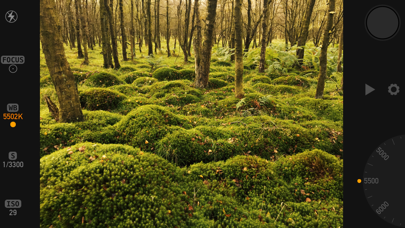
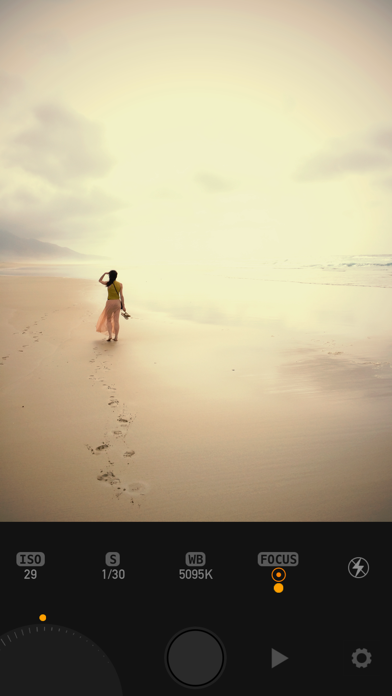
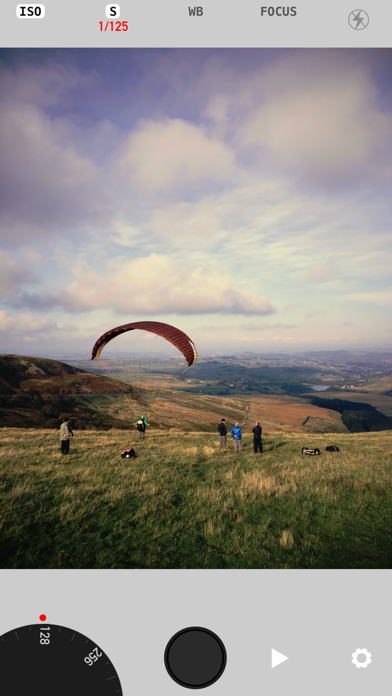
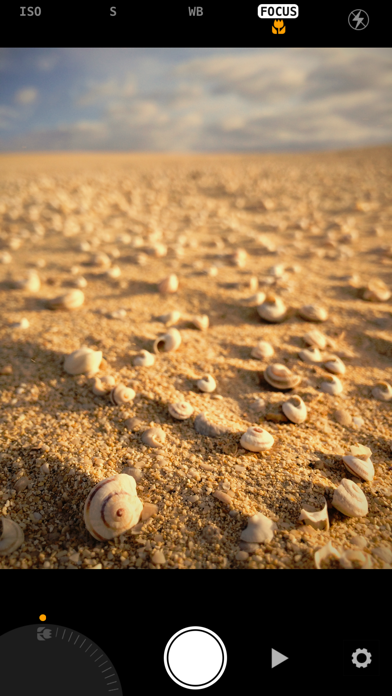
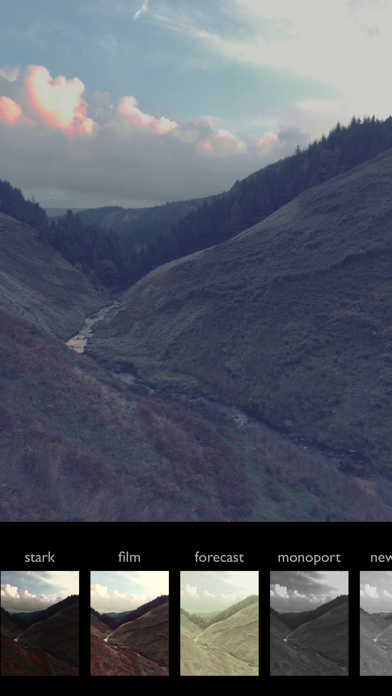
*** Topped No.1 Paid App in several countries! *** Take full manual control of your iPhones camera and take your photography to a whole new level! All the photo's you see in the screenshots are all taken with Manual Cam straight out of the camera! ..with no further adjustments or post processing! See Apple's Pinterest Page for more info.. "...one of the best implementations of manual control on the iPhone we've seen so far." dpreview.com Featured in 'Best New Apps' and 'Shoot Beautiful Photos' by Apple. "App of the Week" appadvice.com Having full creative control of your camera allows you to get incredible pictures that were just not previously possible. Use our beautiful precision crafted interface with adjustment wheel for full manual control over ISO, Shutter Speed, White Balance and Focus, or use gestures across the whole screen. See an uncluttered view of your photo in the viewfinder with a choice of, minimal to no info at all. Easy to use interface with customizable levels of detail for novices and pros alike. Mix and match fully automatic modes and individually lock / adjust just the ones you want. E.g. you can have fully automatic exposure and only adjust manual focus. CONTROL - White Balance : for richer more accurate colors - especially skin tones. - Exposure Compensation : stop images being too dark or too bright, or just make an artistic choice for more beautiful light. - Focus to exactly the part at the picture you want or lock to create close up macro shots easier. - ISO : get much sharper images in the dark, or much clearer photos in normal light with less noise. - Shutter Speed : for fast action shots, or lower to produce cool effects like motion blur. FILTERS Live filters! See the world live through your chosen filter BEFORE you take the picture. Our professional grade filters are based on the same technology used in cinema post-production. Easily swipe left or right to change filter or use the browser. SETTINGS - Timer : set a photo to be taken hands free after a delay of 2 or 10 seconds after you press the shutter. - Grid : overlay a grid over the viewfinder to aid composition. - Format : choose from square or normal 4:3 sized photos. - Zoom On Focus : the viewfinder will automatically zoom the view to aid accurate focusing. - User Interface Color : personalise the color of your camera from Silver, Black or Low contrast Grey. - Optional GPS Geotagging (Jpeg only) USER GUIDE is available on our website at www.lofopi.com * Please note that all iPhone and iPad cameras have a fixed aperture so it's not possible for the app to have any aperture controls.
Publisher websiteStore creative
Screenshots
Competitive set
Similar apps
Deterministic links to real stored apps matched by category, publisher, and comparable performance bands.

Dazz Cam - Vintage Camera
DAZZ PTE. LTD.

YouTube
Google LLC

Instagram, Inc.

剪映 - 抖音官方AI创作神器
Shenzhen Lianmeng Technology Co.Ltd.

Snapchat
Snap, Inc.

快手极速版
Beijing Huayi Huilong Network Technology Co., Ltd.

Canva AI Photo & Video Editor
Canva Pty Ltd

InShot - Video Editor
SHANTANU PTE. LTD.
How we estimate
Where every number comes from
App details: Apple iTunes Search API, updated Sep 28, 2026, 5:54 PM.
Rankings: collected chart positions from the listed storefront. Missing ranks are not zeros.
Economics: downloads and gross store consumer spend are estimated, not official Apple or publisher figures.
Model: Lineage not exposed by this aggregate.
Confidence: —; intervals widen when evidence or history is limited.
Last updated: Sep 28, 2026, 5:54 PM.
See how AppTrendKit separates observations, estimates, coverage, and confidence.
Open methodology