
MovStash - 動画をぼかす
Research answer
What AppTrendKit can say about MovStash - 動画をぼかす today
MovStash - 動画をぼかす has no estimate-backed download or gross-consumer-spend figure that meets the public evidence contract yet.
Observed App Store metadata, chart positions, and history are shown below. Missing, non-finite, undefined-currency, or undefined-metric evidence stays missing rather than becoming zero.
Performance
Downloads, revenue and chart history
Estimates for the last 7D. Chart positions come from the App Store; downloads and revenue are AppTrendKit estimates, shown as a size band (for example 10K–50K) with a confidence level.
Estimated downloads · 30D
Upper limitUnder 5K
Below the top 100 in Photo & Video (JP)
The app is not in its category's top 100, so it has less than the app ranked #100 there. We show this limit until we have enough data for an estimate.
Estimated App Store gross consumer spend · 30D
Upper limitUnder $200K
Below the top 100 in Photo & Video (JP)
The app is not in its category's top 100, so it has less than the app ranked #100 there. We show this limit until we have enough data for an estimate.
History
Collected daily performance
No daily history yet.
Rank history
Chart positions
Lower rank is better. Only collected observations are shown.
Coverage note
What the ranks mean
A missing rank is not treated as zero downloads or zero revenue. Apple chart feeds are bounded and may return censored or not-ranked observations outside the visible chart depth.
Read the methodStorefront mix
Top countries by estimated contribution · 7D
Country figures cover the days we collected in each country, so they don't add up to the worldwide estimate. Each country shows when it was last updated.
Monetization
How the app makes money
These are listing and product observations. They are not company revenue, subscriber counts, or advertising revenue.
App details
Store metadata
- Version
- 6.4
- Released
- Nov 17, 2015
- Last updated
- Aug 3, 2026
- Content rating
- 4+
- Default storefront
- JP
Public IAP observations
Validated in-app purchase prices
Only persisted rows with an explicit public publication boundary are shown. Missing price, currency, country, or date values stay unknown.
Listing detail
What the store says
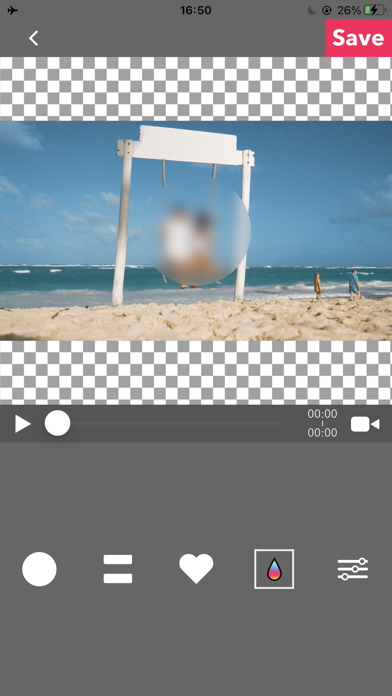
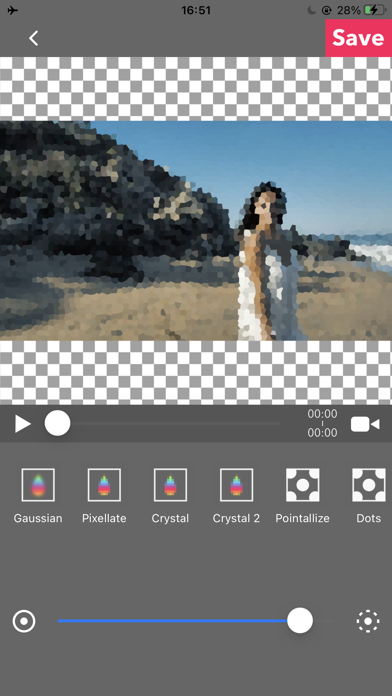
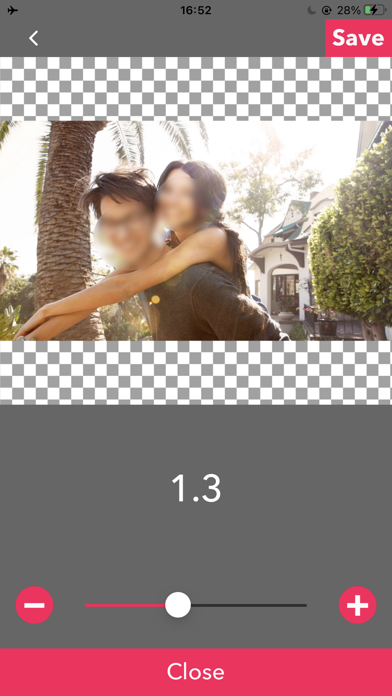
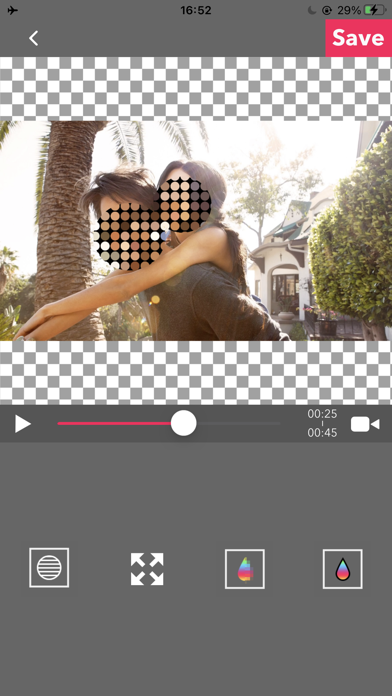
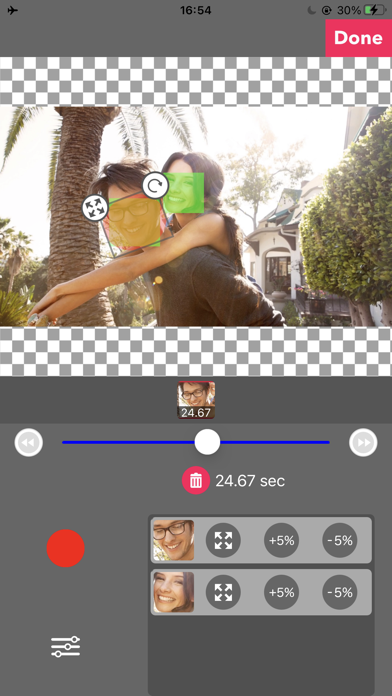
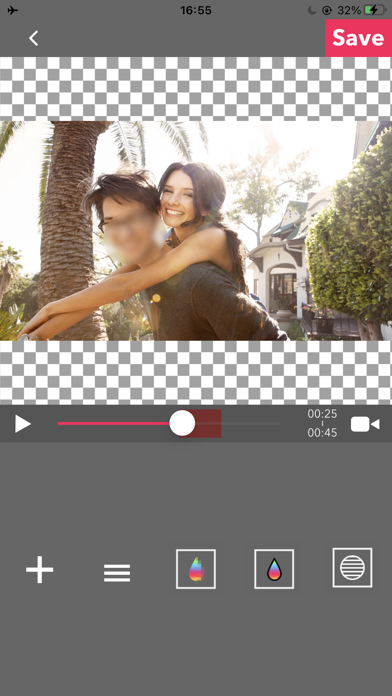
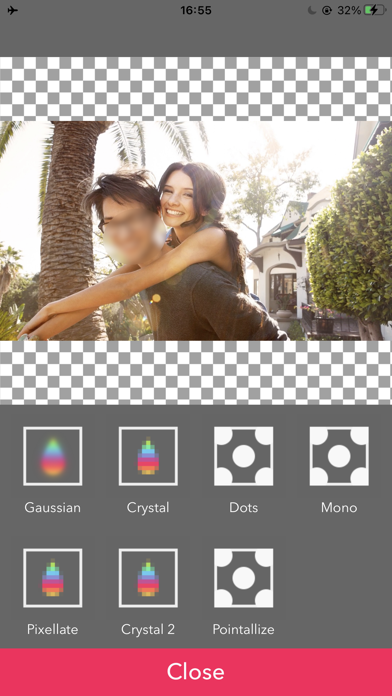
このアプリは動画にモザイクやぼかしをかけて保存できるアプリです。 ■シンプルモード シンプルモードは特定の位置を指定して簡単にぼかせる機能です。 モザイクの種類は4種類あります。 -- モザイク・ぼかしの編集方法 -- 位置 :一本指でドラッグすることでモザイクの位置を変えることができます。 大きさ :二本指で拡大縮小することができます。 ボケ具合:二本指を水平に上下することでぼかし具合を変えることができます。 ■タイムラインモード タイムラインモードはぼかしをかけたい時間(タイムレンジ)と場所を指定してぼかしをかけることができる機能です。 -- 基本的な使い方 -- 1. 動画を選択 2. [+] ボタンで新規ぼかしエリアを追加します。 動画上の赤い半透明のエリアがぼかしの対象エリアです。 ぼかしたい位置にドラッグすることができます。 スライダーの下に表示されているサムネイルは開始時間と終了時間を表しています。 3. [≡]ボタンで追加されたぼかしエリアを再編集することができます。 4. ぼかしの種類・レベルを選択して保存を押せば完了です。 -- 時間を指定するには? 1. [+] ボタンで新規ぼかしエリアを追加します 2. 開始時間にスライダーをずらします。 3. ぼかしをかけたい場所にエリアをドラッグしします。 4. 終了時間にスライダーをずらします。 5. ぼかしをかけたい場所にエリアをドラッグします。 6. スライダーの下に開始時間と終了時間、そして動画の再生時間のサムネイル3枚が表示されているので、最後のサムネイルをタップします。 7. サムネイルをたっぷすると下にゴミ箱のアイコンが出ているのでタップして削除します。 これで特定の時間帯だけにぼかしをかけることができます。 ■顔認識モード 顔を認識して、ぼかしをかけるモードです。 顔認識モードは、完全に顔を認識できるわけではないのでご注意ください。 -- 基本的な使い方 -- ・動画を選択すると自動的に顔認識されます ・ぼかしの大きさ・度合い・種類・ぼかしの反転をお好みに変更できます ・保存を押すと書き出されます
Publisher websiteStore creative
Screenshots
Competitive set
Similar apps
Deterministic links to real stored apps matched by category, publisher, and comparable performance bands.

Player Gear 動画も音楽も倍速再生できるプレイヤー
REAFO CO., LTD.

VSilencer - 動画の音を消す編集アプリ
REAFO CO., LTD.

PicGizmo - リサイズ & HEICからJPG変換
REAFO CO., LTD.

YouTube
Google LLC

Instagram, Inc.

剪映 - 抖音官方AI创作神器
Shenzhen Lianmeng Technology Co.Ltd.

Snapchat
Snap, Inc.

快手极速版
Beijing Huayi Huilong Network Technology Co., Ltd.
How we estimate
Where every number comes from
App details: Apple iTunes Search API, updated Sep 28, 2026, 5:45 PM.
Rankings: collected chart positions from the listed storefront. Missing ranks are not zeros.
Economics: downloads and gross store consumer spend are estimated, not official Apple or publisher figures.
Model: Lineage not exposed by this aggregate.
Confidence: —; intervals widen when evidence or history is limited.
Last updated: Sep 28, 2026, 5:45 PM.
See how AppTrendKit separates observations, estimates, coverage, and confidence.
Open methodology