
Video Converter and Compressor
Research answer
What AppTrendKit can say about Video Converter and Compressor today
Video Converter and Compressor has no estimate-backed download or gross-consumer-spend figure that meets the public evidence contract yet.
Observed App Store metadata, chart positions, and history are shown below. Missing, non-finite, undefined-currency, or undefined-metric evidence stays missing rather than becoming zero.
Performance
Downloads, revenue and chart history
Estimates for the last 7D. Chart positions come from the App Store; downloads and revenue are AppTrendKit estimates, shown as a size band (for example 10K–50K) with a confidence level.
Estimated downloads · 30D
Upper limitUnder 50K
Below the top 100 in Photo & Video (US)
The app is not in its category's top 100, so it has less than the app ranked #100 there. We show this limit until we have enough data for an estimate.
Estimated App Store gross consumer spend · 30D
Upper limitUnder $500K
Below the top 100 in Photo & Video (US)
The app is not in its category's top 100, so it has less than the app ranked #100 there. We show this limit until we have enough data for an estimate.
History
Collected daily performance
No daily history yet.
Rank history
Chart positions
Lower rank is better. Only collected observations are shown.
Coverage note
What the ranks mean
A missing rank is not treated as zero downloads or zero revenue. Apple chart feeds are bounded and may return censored or not-ranked observations outside the visible chart depth.
Read the methodApp Store search
Keywords Video Converter and Compressor ranks for
Observed positions in Apple's US search results, best first. Popularity is a 0–100 index, not a search count.
| Keyword | Position | Change | Popularity | Difficulty |
|---|---|---|---|---|
| compressor | #16 | new | 63 | 53 |
Storefront mix
Top countries by estimated contribution · 7D
Country figures cover the days we collected in each country, so they don't add up to the worldwide estimate. Each country shows when it was last updated.
Monetization
How the app makes money
These are listing and product observations. They are not company revenue, subscriber counts, or advertising revenue.
App details
Store metadata
- Version
- 14.0
- Released
- Aug 17, 2019
- Last updated
- Sep 28, 2026
- Content rating
- 4+
- Default storefront
- US
Public IAP observations
Validated in-app purchase prices
Only persisted rows with an explicit public publication boundary are shown. Missing price, currency, country, or date values stay unknown.
Listing detail
What the store says
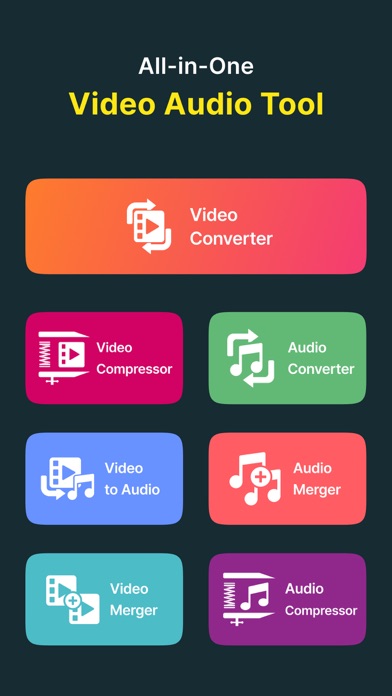
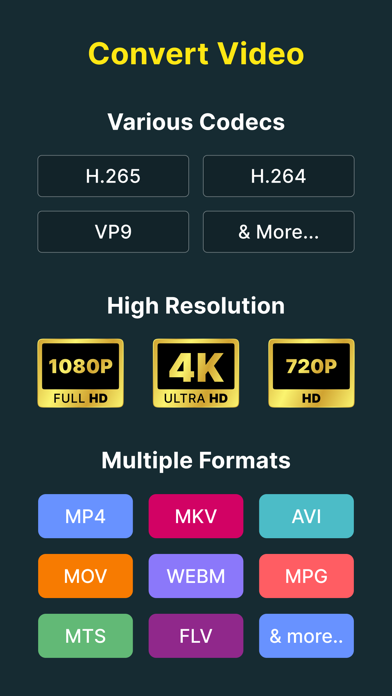
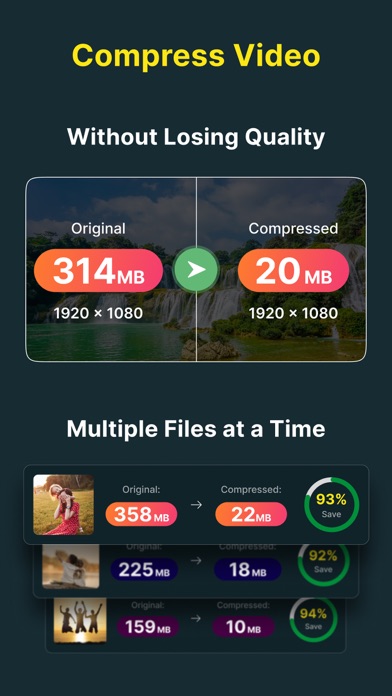
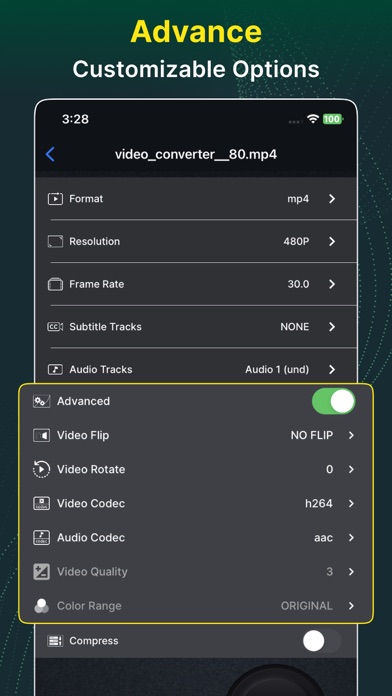
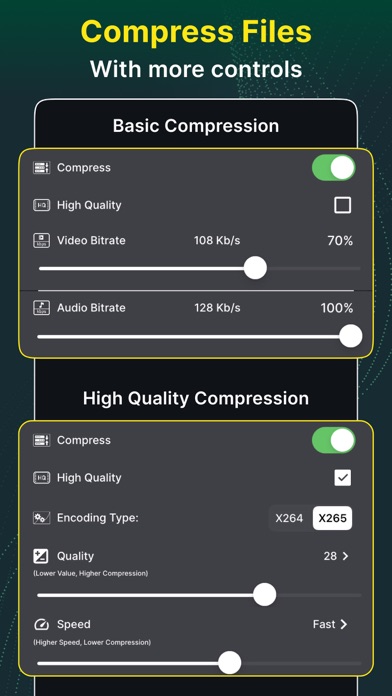
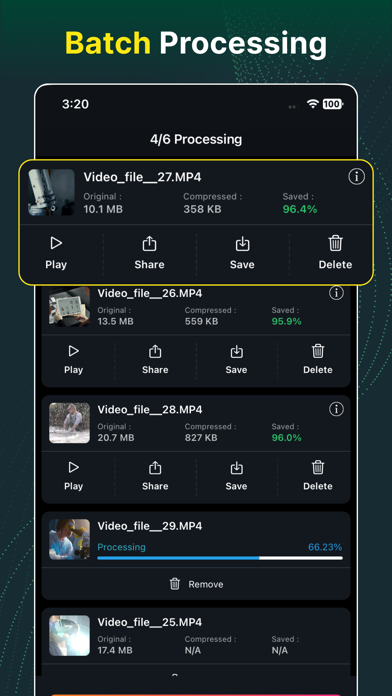
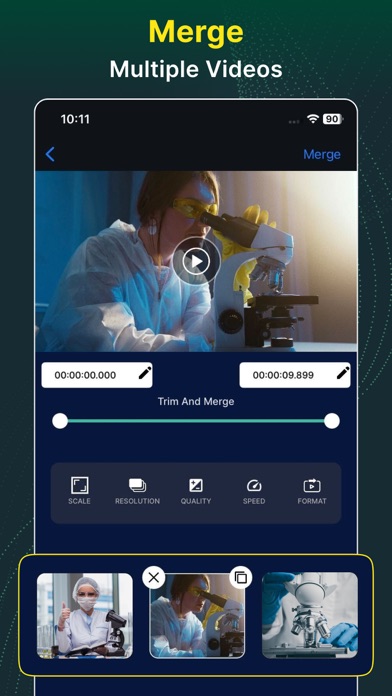
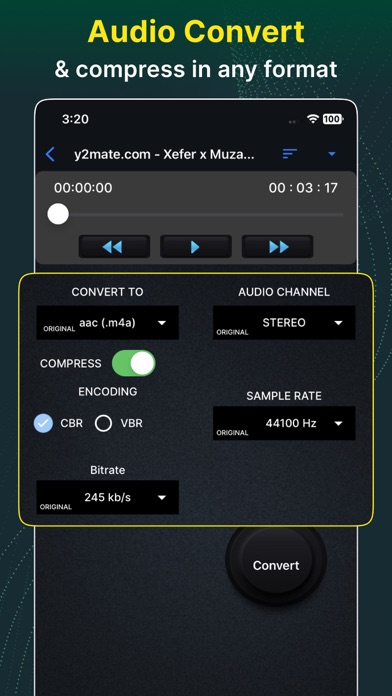
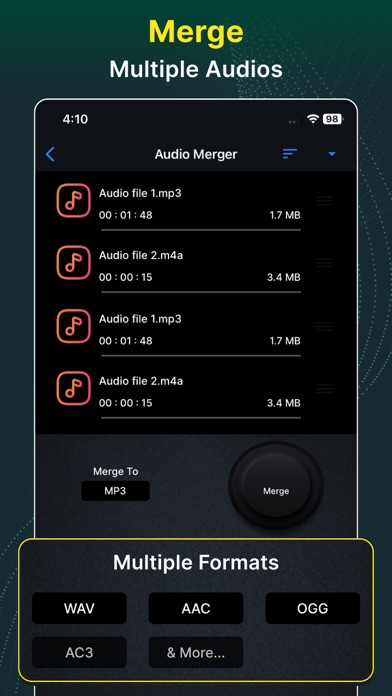
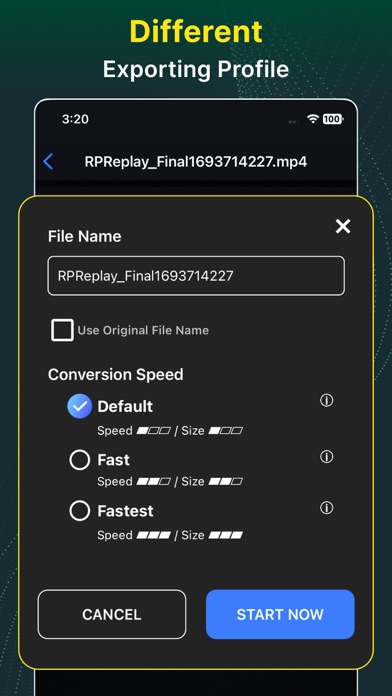
Fastest Video Converter and Compressor in the market that supports almost all video formats: MP4, MKV, AVI, 3GP, MOV, MTS, M2TS, TS, MPEG, MPG, WMV, M4V, VOB, FLV etc. This converter & compressor supports converting, compressing, changing resolution, Frame rate(FPS), and bitrates of a video file. It can also convert video files into Audio formats like MP3, AAC, AC3, OGG, M4A, WAV etc. It also supports a large number of video and audio codecs like H264, MPEG4, MPEG1, MPEG2, FLV1, VP8, VP9, WMV1, WMV2, AAC, MP3, MP2, AC3, OPUS, VORBIS, FLAC, ALAC, WMAV1, WMAV2, MP1, AMR-WB, AMR-NB etc. This video audio editor app also lets you trim/cut both audio and video as well as merge your audio and video files. Import input files from any device like a Desktop or Laptop Computer, Mobile device whether iPhone or other device which resides in the same WIFI / LAN network. Also from local directories, photos app, and cloud services as well. KEY FEATURES : # Video Converter ** Convert and Compress your video to almost any video and audio format. -Supported Formats: MP4, MKV, AVI, 3GP, FLV, MTS, TS, MPEG, MPG, WMV, M4V, MOV, VOB, F4V, WEBM. -Resolution: Choose from a predefined 4K resolution to 240P or put any custom resolution. -Frame Rate: Choose from any predefined frame rates or put any custom frame rate. -Subtitle Track: Choose from existing subtitles tracks of the video to keep or discard. -Audio Track: Choose from existing audio tracks of the video to keep or discard. -Video & Audio Codecs: We support H264, MPEG4, MPEG1, MPEG2, FLV1, VP8, VP9, WMV1, WMV2, AAC, MP3, MP2, AC3, OPUS, VORBIS, FLAC, ALAC, WMAV1, WMAV2, MP1, AMR-WB, AMR-NB video and audio codecs. -Rotate & Flip Video: Apply 90-degree clockwise/anticlockwise or 180-degree rotation and Flip videos vertically or horizontally. Compress options - -High Quality: This compression option uses X264 and X265 codecs to compress your video keeping the nearly original video quality. -Video and Audio Bitrate: Reset video and audio bitrate to compress the file to a specific size. -CRF and Speed: Adjust CRF(Constant Rate Factor) and Speed to control the video quality. # Video Merger ** Join/merge/concat multiple videos into one video in any format you want. Change the resolution and aspect ratio of the merged video. Cut and trim your video files. Preview and export instantly. -Trim Video: This option keeps part of the video you selected. You can input the exact starting and ending cutting time precisely to the milliseconds. # Audio Converter ** Convert and Compress your audio to almost any audio format. -Supported Formats: MP3, AAC(M4A), AC3, WAV, OGG, FLAC, MP4. -Audio Channel: Choose between mono and stereo channel. Compress Section - -Encoding: We support both Constant Bitrate(CBR) and Variable Bitrate(VBR) encoding. -Sample Rate: You can choose a sample rate from 8K to 48K. # Audio Merger ** Merge almost any format Audios to any other format. We support MP3, AAC, AC3, WAV, OGG, and FLAC files as input and output formats. ** All our features support Batch Processing. This software uses source code of FFmpeg which is available here. The instruction to compile and build the library is in the readme file inside it. Video Audio Converter & Editor's Terms of Use at https://docs.google.com/document/d/1etorRJccsJ-Ji9ZovzcbktEazSwv6KNMOW_OHFnxM_E/edit?usp=sharing Video Audio Converter & Editor's Privacy Policy at https://docs.google.com/document/d/1MBoiFpeTGpXCFwpooQKK72ad2or0acEa54Cq7voTQQ0/edit?usp=sharing
Publisher websiteStore creative
Screenshots
Competitive set
Similar apps
Deterministic links to real stored apps matched by category, publisher, and comparable performance bands.

Video Compressor : Save Space
Inverse.AI

InShot - Video Editor
SHANTANU PTE. LTD.

VN: Photo & Video Editor
Ubiquiti Labs, LLC

Canva AI Photo & Video Editor
Canva Pty Ltd

Picsart AI Photo Editor, Video
PicsArt, Inc.

CapCut: Photo & Video Editor
BYTEDANCE PTE. LTD.

Funimate Video & Motion Editor
PIXERY BILGI TEKNOLOJILERI ANONIM SIRKETI

Videoleap: AI Video Editor
Lightricks Ltd.
How we estimate
Where every number comes from
App details: Apple iTunes Search API, updated Sep 28, 2026, 5:04 PM.
Rankings: collected chart positions from the listed storefront. Missing ranks are not zeros.
Economics: downloads and gross store consumer spend are estimated, not official Apple or publisher figures.
Model: Lineage not exposed by this aggregate.
Confidence: —; intervals widen when evidence or history is limited.
Last updated: Sep 28, 2026, 5:04 PM.
See how AppTrendKit separates observations, estimates, coverage, and confidence.
Open methodology