
Convert PDF to JPG,PDF to PNG
Research answer
What AppTrendKit can say about Convert PDF to JPG,PDF to PNG today
Convert PDF to JPG,PDF to PNG has no estimate-backed download or gross-consumer-spend figure that meets the public evidence contract yet.
Observed App Store metadata, chart positions, and history are shown below. Missing, non-finite, undefined-currency, or undefined-metric evidence stays missing rather than becoming zero.
Performance
Downloads, revenue and chart history
Estimates for the last 7D. Chart positions come from the App Store; downloads and revenue are AppTrendKit estimates, shown as a size band (for example 10K–50K) with a confidence level.
Estimated downloads · 30D
Upper limitUnder 50K
Below the top 100 in Photo & Video (US)
The app is not in its category's top 100, so it has less than the app ranked #100 there. We show this limit until we have enough data for an estimate.
Estimated App Store gross consumer spend · 30D
Upper limitUnder $500K
Below the top 100 in Photo & Video (US)
The app is not in its category's top 100, so it has less than the app ranked #100 there. We show this limit until we have enough data for an estimate.
History
Collected daily performance
No daily history yet.
Rank history
Chart positions
Lower rank is better. Only collected observations are shown.
Coverage note
What the ranks mean
A missing rank is not treated as zero downloads or zero revenue. Apple chart feeds are bounded and may return censored or not-ranked observations outside the visible chart depth.
Read the methodApp Store search
Keywords Convert PDF to JPG,PDF to PNG ranks for
Observed positions in Apple's US search results, best first. Popularity is a 0–100 index, not a search count.
| Keyword | Position | Change | Popularity | Difficulty |
|---|---|---|---|---|
| convert | #17 | new | 85 | 72 |
Storefront mix
Top countries by estimated contribution · 7D
Country figures cover the days we collected in each country, so they don't add up to the worldwide estimate. Each country shows when it was last updated.
Monetization
How the app makes money
These are listing and product observations. They are not company revenue, subscriber counts, or advertising revenue.
App details
Store metadata
- Version
- 5.1
- Released
- Aug 30, 2019
- Last updated
- Jun 2, 2026
- Content rating
- 4+
- Default storefront
- US
Public IAP observations
Validated in-app purchase prices
Only persisted rows with an explicit public publication boundary are shown. Missing price, currency, country, or date values stay unknown.
Listing detail
What the store says
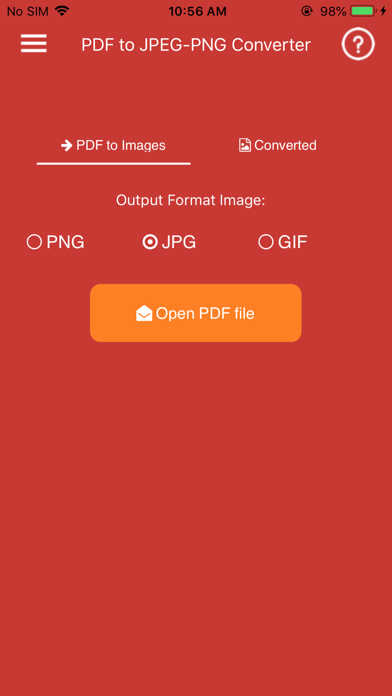
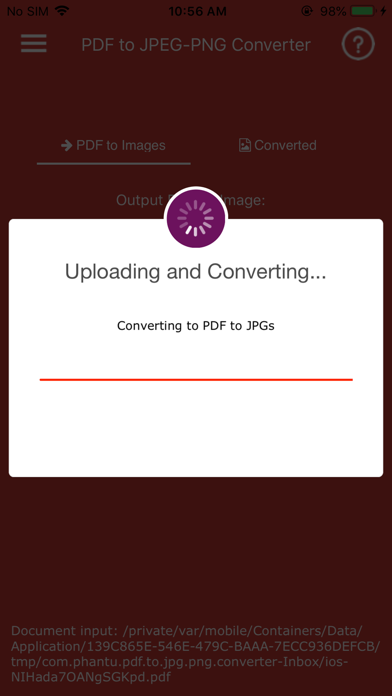
PDF to JPG/PNG Converter is a simple and powerful app that helps you convert PDF documents into high-quality images on your iPhone or iPad. Choose between two conversion modes: • Pages to Images – Convert every PDF page into JPG or PNG images. • Extract Images – Extract all embedded images from a PDF without quality loss. For multi-page PDF documents, converted images can be automatically packaged into a ZIP file for easier storage and sharing. The app is fast, lightweight, and easy to use. Simply select a PDF file, choose your preferred conversion mode and output format, then export your images in seconds. Premium Features: • Convert PDF pages to JPG images • Convert PDF pages to PNG images • Extract original images embedded in PDF files • Two conversion modes: Pages to Images and Extract Images • Automatic ZIP export for multi-page PDF conversions • Fast and efficient conversion engine • High-quality image output • Simple and intuitive user interface • Share converted images with other apps • Handles large PDF files efficiently • Lightweight and stable performance • Optimized for iPhone and iPad Why Choose PDF to JPG/PNG Converter? • No complicated setup • Quick conversion process • High-quality results • Easy image sharing • Supports both page rendering and image extraction • Ideal for students, professionals, and everyday users Note: Password-protected, encrypted, or corrupted PDF files may not be supported.
Publisher websiteStore creative
Screenshots


Competitive set
Similar apps
Deterministic links to real stored apps matched by category, publisher, and comparable performance bands.

PDF to Epub Converter
Tu Phan

PDF Compressor - Compress PDF
Tu Phan

YouTube
Google LLC

Instagram, Inc.

剪映 - 抖音官方AI创作神器
Shenzhen Lianmeng Technology Co.Ltd.

Snapchat
Snap, Inc.

快手极速版
Beijing Huayi Huilong Network Technology Co., Ltd.

Canva AI Photo & Video Editor
Canva Pty Ltd
How we estimate
Where every number comes from
App details: Apple iTunes Search API, updated Sep 28, 2026, 7:23 PM.
Rankings: collected chart positions from the listed storefront. Missing ranks are not zeros.
Economics: downloads and gross store consumer spend are estimated, not official Apple or publisher figures.
Model: Lineage not exposed by this aggregate.
Confidence: —; intervals widen when evidence or history is limited.
Last updated: Sep 28, 2026, 7:23 PM.
See how AppTrendKit separates observations, estimates, coverage, and confidence.
Open methodology