
Highlights - PDF Lesen/Notizen
Research answer
What AppTrendKit can say about Highlights - PDF Lesen/Notizen today
Highlights - PDF Lesen/Notizen has no estimate-backed download or gross-consumer-spend figure that meets the public evidence contract yet.
Observed App Store metadata, chart positions, and history are shown below. Missing, non-finite, undefined-currency, or undefined-metric evidence stays missing rather than becoming zero.
Performance intelligence
Observed trajectory and estimates
Store ranks are observations. Downloads and gross store consumer spend are AppTrendKit estimates and only appear when persisted evidence exists.
Estimated downloads · 30D
ModeledNo persisted estimate
The page does not turn missing evidence into zero.
Estimated App Store gross consumer spend · 30D
ModeledNo persisted estimate
The page does not turn missing evidence into zero.
Estimated downloads · 7D
ModeledNo persisted estimate
The page does not turn missing evidence into zero.
Estimated App Store gross consumer spend · 7D
ModeledNo persisted estimate
The page does not turn missing evidence into zero.
Evidence history
Collected daily performance
No daily metric history has been persisted yet.
Rank history
Observed chart positions
Lower rank is better. Only collected observations are shown.
Coverage note
What the ranks mean
A missing rank is not treated as zero downloads or zero revenue. Apple chart feeds are bounded and may return censored or not-ranked observations outside the visible chart depth.
Read the methodStorefront mix
Top countries by estimated contribution
Country estimates are aggregated only after country-level predictions exist.
Monetization
Observed store economics signals
These are listing and product observations. They are not company revenue, subscriber counts, or advertising revenue.
App details
Store metadata
- Version
- 2026.1.4
- Released
- Apr 10, 2020
- Last updated
- Jul 4, 2026
- Content rating
- 4+
- Default storefront
- AT
Public IAP observations
Validated in-app purchase prices
Only persisted rows with an explicit public publication boundary are shown. Missing price, currency, country, or date values stay unknown.
Listing detail
What the store says
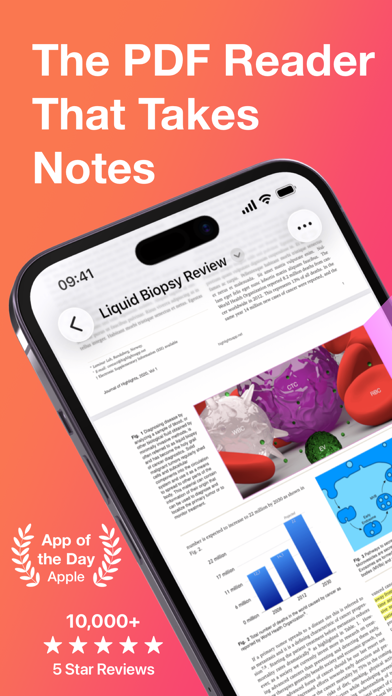
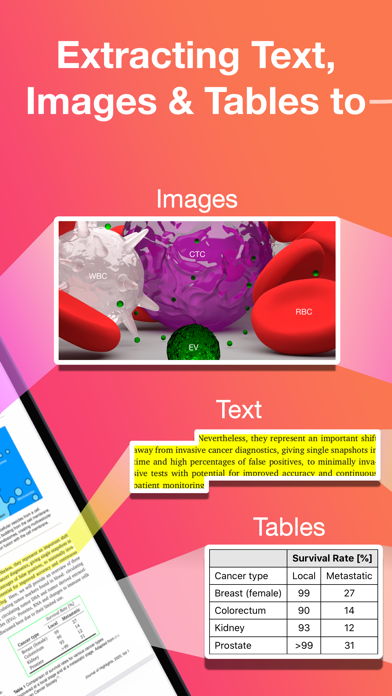
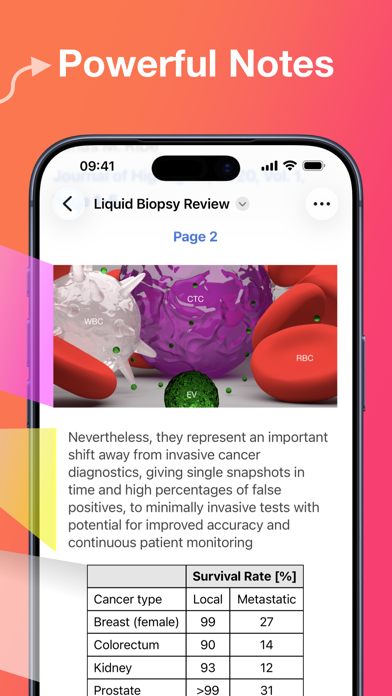
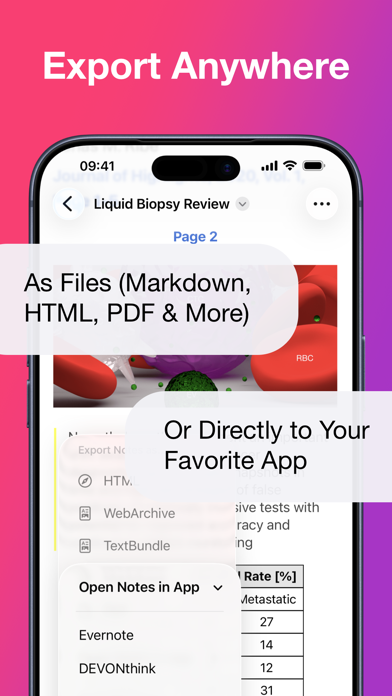
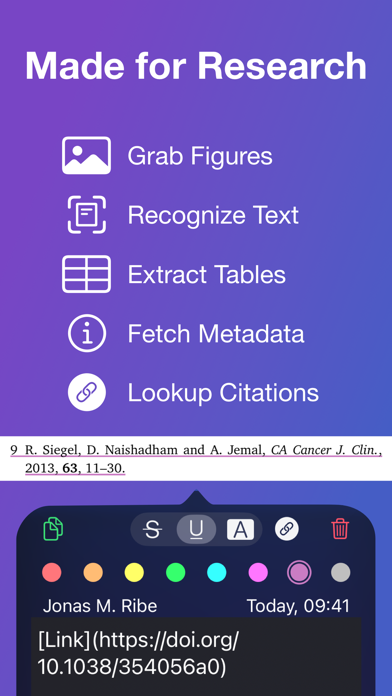
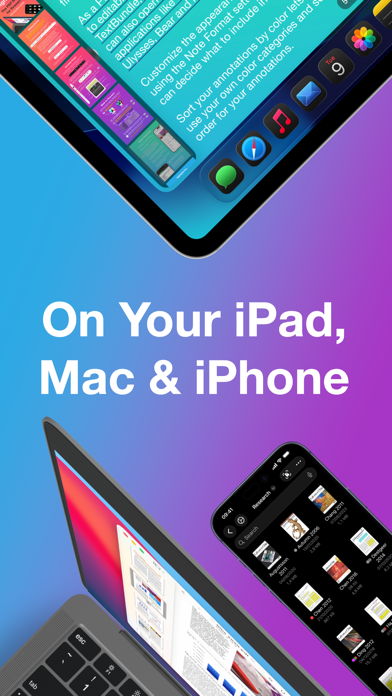
"... an app that students, academics, and anyone who does substantial amounts of PDF-based research should try" - Macstories.net "It’s the novel approach to PDF annotation that makes this app a cut above the rest"- TapSmart.com *** "App of the Day" - App Store, US *** USE HIGHLIGHTS FOR FREE Highlights is a fast and lightweight PDF reader (under 10MB) packed with features to help you do your best research. Free users have access to standard PDF reader features including document browsing, reading and annotating. There are NO ADS, time limits or tracking. READ PDF DOCUMENTS • Open PDF documents from anywhere • Browse files using the familiar document browser • Open PDFs in Single Page or Two Page scroll mode • Double tap to Smart Zoom in on a paragraph or figure • Scrub smoothly to the desired page • Search the entire document in an instant • Navigate using any connected keyboard or mouse STORE YOUR FILES WHERE YOU WANT • Full support for "Open In Place" lets you make edits to the file where it is • Access your files from iCloud Drive, Dropbox, Google Drive, OneDrive or Box using the document browser • Or keep them privately on device only HIGHLIGHT AND ANNOTATE FASTER • Select text with your finger, Apple Pencil or mouse pointer • Highlight, underline, strikethrough text and make image selections • Add comments to annotations or as individual sticky notes • Annotate with fewer taps using context aware popovers • Default annotation colors prevents you from having to repeatedly setting the color for the same type of annotation every time TURN ANNOTATIONS INTO NOTES • As you markup text and images the contents are extracted and sorted into notes • Customize the formatting and contents of your notes • Sort the annotations chronologically or create your own color coding EXTRACT TABLE DATA AND RECOGNIZE TEXT • Convert images containing text or tables to actual text and tables using machine learning - letting you get to the underlying data with a single tap SMART COPY Copy annotations to the desired format with one tap: • Text markup as text • Image selections as images • Tables as CSV • Citations as BibTex LOOKUP CITATIONS • Highlights will fetch DOI-links and metadata • Markup any reference and tap the link icon to look it up • If you have read the work already or have it in your reference manager library, Highlights will link you to it EXPORT ANYWHERE • Save or share your notes as portable files: Markdown, TextBundle, HTML, WebArchive or PDF • Share them to your favorite notes app: Apple Notes, Bear, Craft, Evernote, DEVONThink, Keep It, MindNode, Notion, Obsidian, Roam Research or Ulysses • Or send them to a colleague via mail. It's your notes, you decide where they go MUCH MORE • Dark mode • Multi-window support on iPadOS • Keyboard shortcuts and navigation • Support for system Copy and Undo gestures • Alternative app icons • Custom accent colors • Apple Pencil double-tap gestures • Power annotation tools For a full list of features see: highlightsapp.net/features HIGHLIGHTS PRO The Highlights Pro subscription unlocks advanced features on your iPhone, iPad and Mac: • Export options for other apps and easily editable formats • Extract information using table and text recognition • Customize accent colors and alternative app icons • Power annotation tools • Citation lookups • Smart Copy Highlights Pro includes a 14-day free trial. You can cancel your subscription at any time. The subscription will automatically renew unless auto-renew is turned off within 24-hour prior to the end of of the current period. Payments will be charged to your iTunes account and your account will be charged within 24-hours prior to the end of the current period. Any unused portion of a free trial period will be forfeited when you purchase a subscription. For more information about Highlights Pro: highlightsapp.net/pro Privacy Policy: highlightsapp.net/privacy Terms: highlightsapp.net/terms
Publisher websiteStore creative
Screenshots



Competitive set
Similar apps
Deterministic links to real stored apps matched by category, publisher, and comparable performance bands.

AdLock: Ad Blocker for Browser
Hankuper s.r.o.

AgroRK
Kristijan Hrek

Al-Jawdah LS
Rubik Smart Solutions

AQ
Quanta Computer Inc.

AVG Secure VPN & Proxy server
AVG eCommerce CY Limited

Awesome Screenshot for Safari
Diigo

AYOA - Mind Mapping
OpenGenius Limited
BLE Scanner 4.0 – Bluetooth LE
BLUEPIXEL TECHNOLOGIES LLP
Methodology and provenance
Read every number with its evidence
Metadata source: Apple iTunes Search API; observed Sep 7, 2026, 9:22 PM.
Rankings: collected chart positions from the listed storefront. Missing ranks are not zeros.
Economics: downloads and gross store consumer spend are estimated, not official Apple or publisher figures.
Model: No persisted model version.
Confidence: —; intervals widen when evidence or history is limited.
Last observation: Sep 7, 2026, 9:22 PM.
See how AppTrendKit separates observations, estimates, coverage, and confidence.
Open methodology