
OM Image Share
Research answer
What AppTrendKit can say about OM Image Share today
OM Image Share has no estimate-backed download or gross-consumer-spend figure that meets the public evidence contract yet.
Observed App Store metadata, chart positions, and history are shown below. Missing, non-finite, undefined-currency, or undefined-metric evidence stays missing rather than becoming zero.
Performance intelligence
Observed trajectory and estimates
Store ranks are observations. Downloads and gross store consumer spend are AppTrendKit estimates and only appear when persisted evidence exists.
Estimated downloads · 30D
ModeledNo persisted estimate
The page does not turn missing evidence into zero.
Estimated App Store gross consumer spend · 30D
ModeledNo persisted estimate
The page does not turn missing evidence into zero.
Estimated downloads · 7D
ModeledNo persisted estimate
The page does not turn missing evidence into zero.
Estimated App Store gross consumer spend · 7D
ModeledNo persisted estimate
The page does not turn missing evidence into zero.
Evidence history
Collected daily performance
No daily metric history has been persisted yet.
Rank history
Observed chart positions
Lower rank is better. Only collected observations are shown.
Coverage note
What the ranks mean
A missing rank is not treated as zero downloads or zero revenue. Apple chart feeds are bounded and may return censored or not-ranked observations outside the visible chart depth.
Read the methodStorefront mix
Top countries by estimated contribution
Country estimates are aggregated only after country-level predictions exist.
Monetization
Observed store economics signals
These are listing and product observations. They are not company revenue, subscriber counts, or advertising revenue.
App details
Store metadata
- Version
- 1.4.4
- Released
- Feb 14, 2022
- Last updated
- Jun 10, 2026
- Content rating
- 4+
- Default storefront
- NZ
Public IAP observations
Validated in-app purchase prices
Only persisted rows with an explicit public publication boundary are shown. Missing price, currency, country, or date values stay unknown.
Listing detail
What the store says
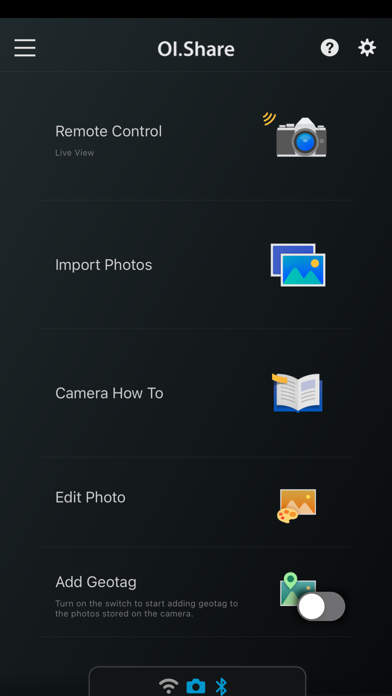
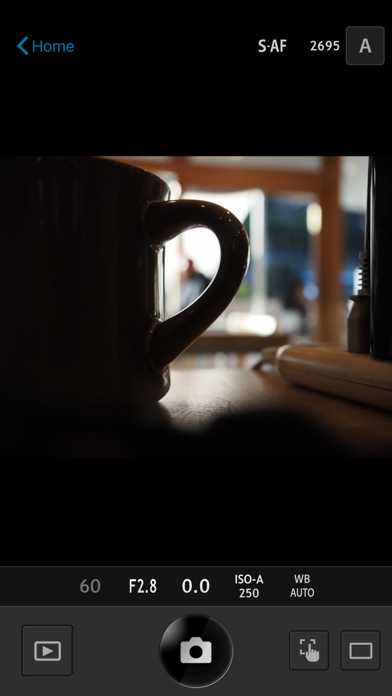
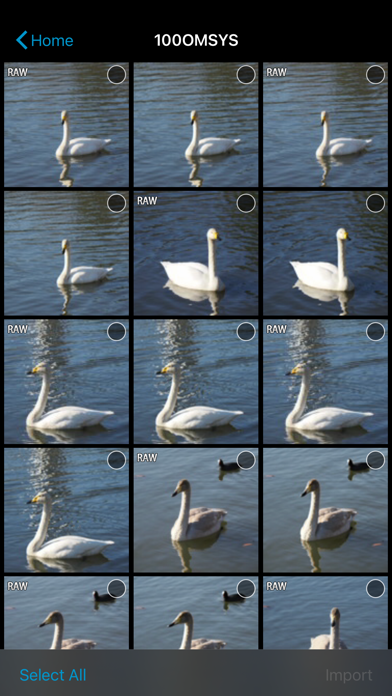
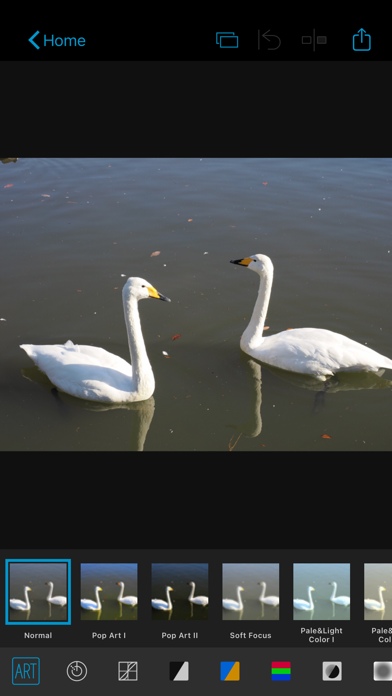
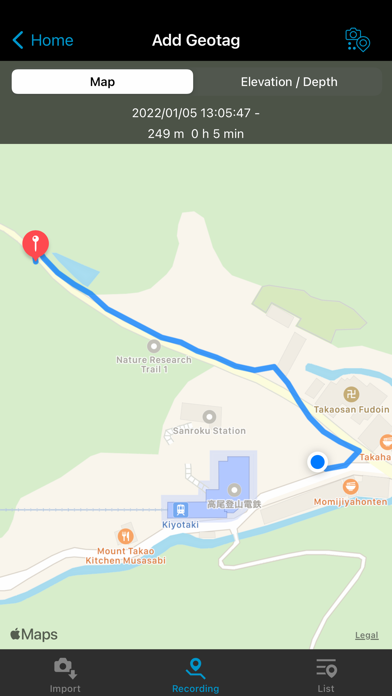
OM Image Share (OI.Share) is an app required for wirelessly importing photos captured on an OM Digital Solutions camera. In addition to importing photos, you can use your smartphone as a remote controller for remote shooting. This smartphone app makes photography more enjoyable than ever, and offers new ways to use your camera. 1. Easily Import Photos to Your Smartphone With OI.Share, you can view photos stored on the camera and import them to your smartphone. Simply select photos you want to share ahead of time on the camera (Share Order) to automatically import them when connected to your smartphone via Wi-Fi. With a Bluetooth and Wi-Fi ready camera, you can use OI.Share on its own to import photos for greater convenience. 2. Two Remote Shooting Modes With remote shooting, you can view Live View images on your smartphone screen while executing shooting techniques in Live View, and in Remote Shutter, you can adjust shooting settings on the camera while using your smartphone to activate the shutter release. 3. Camera How To Offers Shooting Techniques with Tutorial Videos Camera How To shows how to create beautiful bokeh, how to use Art Filter, and other shooting techniques in easy-to-understand videos. You can also view the camera manual. * Supported on some models only. 4. Easy Connection To connect your camera and smartphone, simply scan the QR code displayed on the camera LCD screen with OI.Share. That is all you need to do to complete setup. * The camera whose QR code is scanned is registered to the app. * To connect another camera, you must repeat the QR code is scanned step. 5. Display images and track data on your smartphone During your journey, send your camera's track data by Wi-Fi to your smartphone and you will be able to check the progress that you have made on your journey thus far. Track data will be displayed together with images for easy identification. * Display of movies and altitude/depth data is only possible when using compatible cameras. Compatible cameras: OM-D E-M1X, TG-6, TG-5, TG-Tracker 6. Organize track data and images on your smartphone Manage your images and track data imported to your smartphone as single Activities. Relive the excitement of the moment and the feeling of accomplishment by viewing the track data together with your images. 7. Add location information By simply transferring the GPS log recorded with a smartphone to the camera, location information can be added to photos captured with a compatible camera with built-in Wi-Fi. When connected via Bluetooth, geotags are added during shooting. * Supported on some models only. 8. Art Filter Select from 31 different filter options and 8 supplemental effects to expand your range of expression. Add Art Effects to your Art Filter photos for even more expressive imagery. * Available Art Effects may differ depending on the Art Filter applied. 9. Colour Creator With Color Creator, you can control the hue and color saturation for more dramatic photo finishes. Operate the Color Ring that appears on the screen to adjust the hues (30 levels) and saturation (8 levels) of the colors in your photo. 10. Highlight and Shadow Control Highlight & Shadow Control lets you add variation to photos by controlling light and shadow sections of the image. Highlights, mid-range, and shadows can be individually adjusted using the tone curve that appears on the screen. 11. Dehaze and Clarity You can use popular OM Workspace functions "Dehaze" and "Clarity" to easily enhance photo textures and give images a clearer finish. * This app is not guaranteed to work on all Smartphone and tablet devices. * Available functions will differ by camera. * Wi-Fi is a registered trademark of the Wi-Fi Alliance. * The Wi-Fi CERTIFIED Logo is a certification mark of the Wi-Fi Alliance. * The Bluetooth® word mark and logos are registered trademarks owned by the Bluetooth SIG, Inc. and any use of such marks by OM Digital Solutions Corporation is under license.
Store creative
Screenshots
Competitive set
Similar apps
Deterministic links to real stored apps matched by category, publisher, and comparable performance bands.

8FEED
XTLab

AI Mirror: AI Photo Editor
POLYVERSE ENTERTAINMENT INC.

All Video Saver & Player
Dabhade Jagannath
APCam
Shenzhen Sricctv Technology Co., Ltd.

Background Eraser AI BG Editor
Ozgur Yuksel

CameraFi Live
Vault Micro Inc.

Carrera RC FPV
Shenzhen Logic Electronics Technology Co.,Ltd

CloneAI - AI Video Generator
PIXERY BILGI TEKNOLOJILERI ANONIM SIRKETI
Methodology and provenance
Read every number with its evidence
Metadata source: Apple iTunes Search API; observed Sep 7, 2026, 8:37 PM.
Rankings: collected chart positions from the listed storefront. Missing ranks are not zeros.
Economics: downloads and gross store consumer spend are estimated, not official Apple or publisher figures.
Model: No persisted model version.
Confidence: —; intervals widen when evidence or history is limited.
Last observation: Sep 7, 2026, 8:37 PM.
See how AppTrendKit separates observations, estimates, coverage, and confidence.
Open methodology