
Network Analyzer: WiFi Scan
Research answer
What AppTrendKit can say about Network Analyzer: WiFi Scan today
Network Analyzer: WiFi Scan has no estimate-backed download or gross-consumer-spend figure that meets the public evidence contract yet.
Observed App Store metadata, chart positions, and history are shown below. Missing, non-finite, undefined-currency, or undefined-metric evidence stays missing rather than becoming zero.
Performance
Downloads, revenue and chart history
Estimates for the last 7D. Chart positions come from the App Store; downloads and revenue are AppTrendKit estimates, shown as a size band (for example 10K–50K) with a confidence level.
Estimated downloads · 7D
UnavailableNo estimate yet
We only show an estimate once we have enough data. Missing numbers are never shown as zero.
Estimated App Store gross consumer spend · 7D
UnavailableNo estimate yet
We only show an estimate once we have enough data. Missing numbers are never shown as zero.
History
Collected daily performance
No daily history yet.
Rank history
Chart positions
Lower rank is better. Only collected observations are shown.
Coverage note
What the ranks mean
A missing rank is not treated as zero downloads or zero revenue. Apple chart feeds are bounded and may return censored or not-ranked observations outside the visible chart depth.
Read the methodApp Store search
Keywords Network Analyzer: WiFi Scan ranks for
Observed positions in Apple's US search results, best first. Popularity is a 0–100 index, not a search count.
| Keyword | Position | Change | Popularity | Difficulty |
|---|---|---|---|---|
| network | #1 | new | 76 | 64 |
| ping | #4 | new | 63 | 52 |
| connection | #12 | new | 43 | 42 |
Storefront mix
Top countries by estimated contribution · 7D
Country figures cover the days we collected in each country, so they don't add up to the worldwide estimate. Each country shows when it was last updated.
Monetization
How the app makes money
These are listing and product observations. They are not company revenue, subscriber counts, or advertising revenue.
App details
Store metadata
- Version
- 9.2
- Released
- Sep 19, 2012
- Last updated
- Sep 13, 2026
- Content rating
- 4+
- Default storefront
- BE
Public IAP observations
Validated in-app purchase prices
Only persisted rows with an explicit public publication boundary are shown. Missing price, currency, country, or date values stay unknown.
Listing detail
What the store says
Network Analyzer is a free, easy-to-use network toolkit that turns your iPhone or iPad into a handy diagnostic instrument. Scan your network, discover every device connected to it, and troubleshoot connection problems in seconds - no technical background or extra hardware required. Built for curious home users and IT professionals alike, it packs a LAN device scanner, ping, traceroute, port scanner, DNS lookup, and whois into one clean, fast app. Try it for free, and upgrade to Network Analyzer Pro whenever you want advanced tools like traceroute visualization on the map, internet speed test, Wake on LAN, IP calculator, MAC address browser, and more. LAN scanner: - Fast and reliable detection of all network devices - IP addresses of all discovered devices - MAC addresses and vendor names of discovered devices - NetBIOS, mDNS (Bonjour), LLMNR, DNS, SNMP, and WS-Discovery name where available - Reachability (ping) test of discovered devices - IPv6 availability and discovered IPv6 addresses Ping & traceroute: - Round-trip delay including IP address and hostname for every network node - Country detection of the analyzed server - Support for both IPv4 and IPv6 Port scanner: - Scan common ports, custom port ranges, or the complete port range - Detection of closed, firewalled, and open ports - Description of the known open port services Whois: - Look up domains, IP addresses, and AS numbers - Support for both classic whois and the modern RDAP protocol DNS lookup: - Functionality similar to nslookup or dig - Query all record types at once or one specific type - Support for A, AAAA, CAA, CNAME, HINFO, LOC, MX, NAPTR, NS, PTR, SOA, SPF, SRV, SSHFP, TXT records Network information: - Default gateway, external IP (v4 and v6), DNS server, HTTP proxy - Wi-Fi network information such as SSID, BSSID, router vendor, security type, IP address (v4 and v6), and subnet mask - VPN, USB Ethernet, and personal hotspot connection details - Cell network information such as IP address and network type, with dual SIM support More: - Light and dark theme - Full IPv6 support everywhere - Detailed help - Regular updates
Publisher websiteStore creative
Screenshots

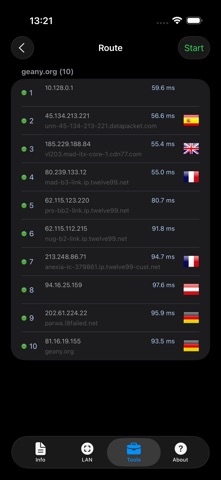


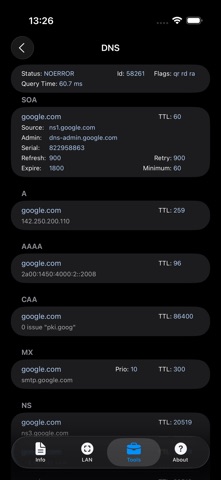
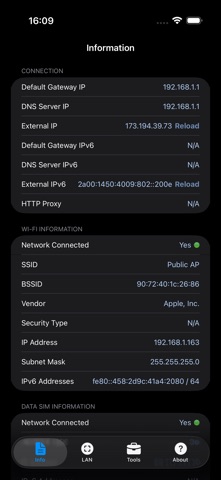

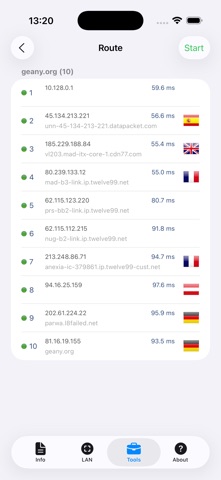
Competitive set
Similar apps
Deterministic links to real stored apps matched by category, publisher, and comparable performance bands.

Google LLC

Google Chrome
Google LLC

DuckDuckGo, optional Duck.ai
Duck Duck Go, Inc.

leboncoin
LBC France

My au(マイエーユー)-料金・ギガ残量の確認アプリ
KDDI CORPORATION

My Vodafone (UK)
Vodafone Ltd

快对AI-作业助手
Guangzhou Polar Future Culture Technology Co., Ltd

dアカウント設定/dアカウントをより便利に
NTT DOCOMO, INC.
How we estimate
Where every number comes from
App details: Apple iTunes Search API, updated Sep 28, 2026, 5:30 PM.
Rankings: collected chart positions from the listed storefront. Missing ranks are not zeros.
Economics: downloads and gross store consumer spend are estimated, not official Apple or publisher figures.
Model: Lineage not exposed by this aggregate.
Confidence: —; intervals widen when evidence or history is limited.
Last updated: Sep 28, 2026, 5:30 PM.
See how AppTrendKit separates observations, estimates, coverage, and confidence.
Open methodology