
PixelLab: AI Background Eraser
Research answer
What AppTrendKit can say about PixelLab: AI Background Eraser today
PixelLab: AI Background Eraser has no estimate-backed download or gross-consumer-spend figure that meets the public evidence contract yet.
Observed App Store metadata, chart positions, and history are shown below. Missing, non-finite, undefined-currency, or undefined-metric evidence stays missing rather than becoming zero.
Performance intelligence
Observed trajectory and estimates
Store ranks are observations. Downloads and gross store consumer spend are AppTrendKit estimates and only appear when persisted evidence exists.
Estimated downloads · 30D
ModeledNo persisted estimate
The page does not turn missing evidence into zero.
Estimated App Store gross consumer spend · 30D
ModeledNo persisted estimate
The page does not turn missing evidence into zero.
Estimated downloads · 7D
ModeledNo persisted estimate
The page does not turn missing evidence into zero.
Estimated App Store gross consumer spend · 7D
ModeledNo persisted estimate
The page does not turn missing evidence into zero.
Evidence history
Collected daily performance
No daily metric history has been persisted yet.
Rank history
Observed chart positions
Lower rank is better. Only collected observations are shown.
Coverage note
What the ranks mean
A missing rank is not treated as zero downloads or zero revenue. Apple chart feeds are bounded and may return censored or not-ranked observations outside the visible chart depth.
Read the methodStorefront mix
Top countries by estimated contribution
Country estimates are aggregated only after country-level predictions exist.
Monetization
Observed store economics signals
These are listing and product observations. They are not company revenue, subscriber counts, or advertising revenue.
App details
Store metadata
- Version
- 1.2.6
- Released
- Dec 17, 2022
- Last updated
- Nov 19, 2025
- Content rating
- 4+
- Default storefront
- EG
Public IAP observations
Validated in-app purchase prices
Only persisted rows with an explicit public publication boundary are shown. Missing price, currency, country, or date values stay unknown.
Listing detail
What the store says
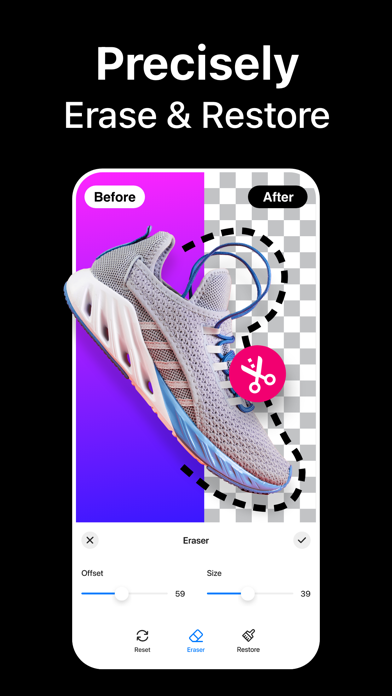
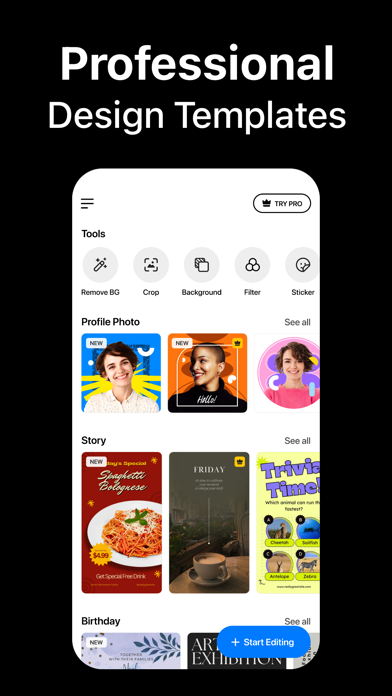
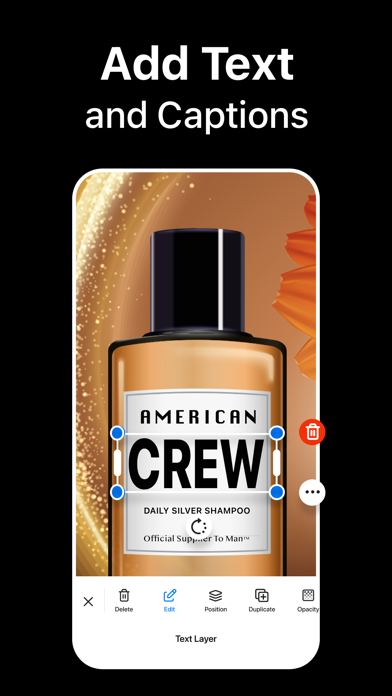
Instantly remove background from images and create transparent or colorful backgrounds on your iPhone. Background Eraser lets you apply colors, filters, borders, and even add text to change background in your photos and save as high-quality PNG or JPEG. Looking for the best background removal app for iPhone? Use our AI-infused tool to automatically cut out objects or people in the background. Simply select your image from the library, and the app will do the rest! Key Features of Background Eraser: • One tap to remove background from photos automatically • Crop, rotate, and flip images for adjustment • Manual background remover to erase or restore any objects • Add custom text and emojis to a photo background • Add border outline to a photo with different colors • Inbuilt image background color changer • Apply amazing photo filters from 100+ presets • Change resolution before saving your edited photos in PNG or JPEG format • Instantly share your creation on multiple platforms like Facebook, Instagram, etc. Remove Background with AI The built-in automatic background remover works like a charm – needing you to only select an image from the gallery. After the AI background removal, you can use the Eraser tool to manually delete background from images and achieve perfection. Change Background Color Wondering how to change the background of a photo to a different color? Choose your pick from the palette and change background color of any photo on your iPhone. You can add white background to a photo or make the background transparent as well. Text, Emojis, Filters – You name it Add text and emojis to images to personalize your captures the way you want. You can also apply photo effects and filters to enhance the appearance, add border frame to change the outlook, and so on. How to remove background from a picture on iPhone? Using the Background Eraser app to crop out or remove people and objects from photo backgrounds is easy – - Launch the app and tap on the Plus (+) button. - Choose an image from your iPhone Library. - Crop or rotate if needed. Then hit Next. - It will automatically remove the background for you. To further refine the edges, use the Eraser tool for adjustments. Auto-Renewable Subscription Terms: Subscribe to get unrestricted access to all the features outlined above. - Subscription Length: Weekly, Yearly - Subscription with a free trial period will automatically renew to a paid subscription unless it is canceled at least 24 hours before the end of the trial period. - Payment will be charged to iTunes Account at confirmation of purchase. - Your Apple ID account will be charged for renewal within 24 hours before the end of the trial period. - You can manage and cancel your subscriptions by going to your account settings on the App Store. - Any unused portion of a free trial period, if offered, will be forfeited when the user purchases a subscription to that publication, where applicable. - By signing up for this subscription, you agree to our Terms of Use and Privacy Policy. Terms of Use: https://pixeltouch.net/legal/bgeraser/terms.html Privacy Policy: https://pixeltouch.net/legal/bgeraser/privacy.html
Store creative
Screenshots



Competitive set
Similar apps
Deterministic links to real stored apps matched by category, publisher, and comparable performance bands.

Dark Table - Presets for LR
Sohel Ibna Saad

AI Art Generator Wonder Dream
Vu Xuan Loc

AI Logo Maker: Graphic Design
Whistle Studios LLC

AI Logo Maker®Brand Design
艳 王

Animal Posing
Akihisa Sakai

Anime Couple: Avatar Maker
Nam Dang Hoang

AR Drawing: Easy Sketch & Draw
masaki matsushita

AR Text - 3D text to AR
AR Code Pte. Ltd.
Methodology and provenance
Read every number with its evidence
Metadata source: Apple iTunes Search API; observed Sep 7, 2026, 8:39 PM.
Rankings: collected chart positions from the listed storefront. Missing ranks are not zeros.
Economics: downloads and gross store consumer spend are estimated, not official Apple or publisher figures.
Model: No persisted model version.
Confidence: —; intervals widen when evidence or history is limited.
Last observation: Sep 7, 2026, 8:39 PM.
See how AppTrendKit separates observations, estimates, coverage, and confidence.
Open methodology