
DWG Reader Converter PDF CAD
Research answer
What AppTrendKit can say about DWG Reader Converter PDF CAD today
DWG Reader Converter PDF CAD has no estimate-backed download or gross-consumer-spend figure that meets the public evidence contract yet.
Observed App Store metadata, chart positions, and history are shown below. Missing, non-finite, undefined-currency, or undefined-metric evidence stays missing rather than becoming zero.
Performance
Downloads, revenue and chart history
Estimates for the last 7D. Chart positions come from the App Store; downloads and revenue are AppTrendKit estimates, shown as a size band (for example 10K–50K) with a confidence level.
Estimated downloads · 30D
Upper limitUnder 20K
Below the top 100 in Utilities (US)
The app is not in its category's top 100, so it has less than the app ranked #100 there. We show this limit until we have enough data for an estimate.
Estimated App Store gross consumer spend · 30D
Upper limitUnder $20K
Below the top 100 in Utilities (US)
The app is not in its category's top 100, so it has less than the app ranked #100 there. We show this limit until we have enough data for an estimate.
History
Collected daily performance
No daily history yet.
Rank history
Chart positions
Lower rank is better. Only collected observations are shown.
Coverage note
What the ranks mean
A missing rank is not treated as zero downloads or zero revenue. Apple chart feeds are bounded and may return censored or not-ranked observations outside the visible chart depth.
Read the methodApp Store search
Keywords DWG Reader Converter PDF CAD ranks for
Observed positions in Apple's US search results, best first. Popularity is a 0–100 index, not a search count.
| Keyword | Position | Change | Popularity | Difficulty |
|---|---|---|---|---|
| dwg | #3 | new | 76 | 55 |
Storefront mix
Top countries by estimated contribution · 7D
Country figures cover the days we collected in each country, so they don't add up to the worldwide estimate. Each country shows when it was last updated.
Monetization
How the app makes money
These are listing and product observations. They are not company revenue, subscriber counts, or advertising revenue.
App details
Store metadata
- Version
- 9.0.0
- Released
- Jan 31, 2024
- Last updated
- Jul 9, 2026
- Content rating
- 4+
- Default storefront
- US
Public IAP observations
Validated in-app purchase prices
Only persisted rows with an explicit public publication boundary are shown. Missing price, currency, country, or date values stay unknown.
Listing detail
What the store says
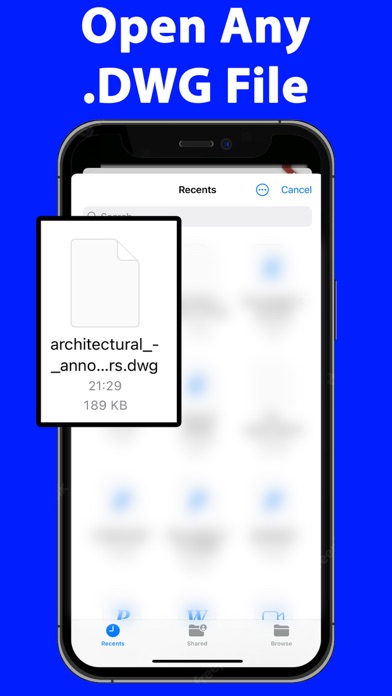
DWG Reader Converter PDF CAD, the all-in-one solution for professionals and hobbyists alike who deal with DWG files. This application is not just a mere tool; it's a comprehensive powerhouse designed to make your workflow smoother, faster, and more efficient. Whether you're an architect, engineer, designer, or just someone with an interest in CAD designs, this app is crafted to cater to all your DWG file needs. Key Features: Multi-Format Conversion: At the heart of DWG Reader Converter PDF CAD is its robust conversion engine. Convert your DWG files to a wide array of formats including PDF, CAD, DXF, SVG, JPEG, PNG, and TIFF. This flexibility ensures that your work is always compatible and sharable, regardless of the software or platforms your colleagues or clients use. High-Quality DWG Reading: Experience crystal-clear viewing with advanced DWG reading capabilities. Our app supports essential functions like zoom, pan, and rotate, allowing you to inspect every detail of your designs. The layer management feature is a game-changer, offering the ability to isolate and view individual components of complex drawings. Batch Processing: Efficiency is key, and with our batch processing feature, you can convert multiple DWG files simultaneously. This feature is a time-saver, especially for professionals handling large projects with numerous files. Intuitive User Interface: DWG Reader Converter PDF CAD boasts a user-friendly interface, making it accessible to users of all skill levels. Its clean design and intuitive navigation ensure that your focus remains on your work, not on figuring out how to use the tool. Custom Conversion Settings: Tailor your conversions to fit your specific needs. The app allows you to adjust various settings such as resolution, line thickness, and color options for each output format, ensuring your files are not just converted, but optimized. Seamless File Sharing: Integrated sharing options enable you to send your converted files directly through email, cloud services, or social media. This streamlines collaboration and feedback processes, making it easier to keep your projects moving. Local Processing for Security: Your privacy and security are paramount. All file conversions are processed locally on your device, ensuring that your sensitive data never leaves your workspace. Cross-Device Functionality: Designed for versatility, DWG Reader Converter PDF CAD works seamlessly across various devices, including smartphones, tablets, and desktop computers, ensuring a consistent user experience. Frequent Updates: We continuously evolve our app, adding new features and supporting the latest DWG formats, all based on user feedback and industry trends. Dedicated Support: Our responsive customer support team is always available to assist you with any queries or issues, ensuring a smooth and uninterrupted user experience. Who Can Benefit?: DWG Reader Converter PDF CAD is perfect for anyone in the field of architecture, engineering, design, education, or even hobbyists who require a reliable tool for managing and converting DWG files. Final Thoughts: Elevate your design and drafting workflow with DWG Reader Converter PDF CAD - the comprehensive, user-friendly solution for reading, converting, and sharing DWG files with ease and precision. Download it today and transform your digital drafting experience! The app offers a weekly subscription to open/convert DWG files. Terms of use EULA: https://sites.google.com/view/termsofuseeulanewspfaosdhf/home
Store creative
Screenshots



Competitive set
Similar apps
Deterministic links to real stored apps matched by category, publisher, and comparable performance bands.

Google LLC

Google Chrome
Google LLC

My Spectrum
Charter Communications Operating, LLC

DuckDuckGo, optional Duck.ai
Duck Duck Go, Inc.

leboncoin
LBC France

Türk Telekom
TT Mobil Iletisim Hizmetleri A.S.

My au(マイエーユー)-料金・ギガ残量の確認アプリ
KDDI CORPORATION

My Vodafone (UK)
Vodafone Ltd
How we estimate
Where every number comes from
App details: Apple iTunes Search API, updated Sep 28, 2026, 6:09 PM.
Rankings: collected chart positions from the listed storefront. Missing ranks are not zeros.
Economics: downloads and gross store consumer spend are estimated, not official Apple or publisher figures.
Model: Lineage not exposed by this aggregate.
Confidence: —; intervals widen when evidence or history is limited.
Last updated: Sep 28, 2026, 6:09 PM.
See how AppTrendKit separates observations, estimates, coverage, and confidence.
Open methodology