
Research answer
What AppTrendKit can say about GIF Keyboard today
GIF Keyboard has no estimate-backed download or gross-consumer-spend figure that meets the public evidence contract yet.
Observed App Store metadata, chart positions, and history are shown below. Missing, non-finite, undefined-currency, or undefined-metric evidence stays missing rather than becoming zero.
Performance
Downloads, revenue and chart history
Estimates for the last 7D. Chart positions come from the App Store; downloads and revenue are AppTrendKit estimates, shown as a size band (for example 10K–50K) with a confidence level.
Estimated downloads · 7D
UnavailableNo estimate yet
We only show an estimate once we have enough data. Missing numbers are never shown as zero.
Estimated App Store gross consumer spend · 7D
UnavailableNo estimate yet
We only show an estimate once we have enough data. Missing numbers are never shown as zero.
History
Collected daily performance
No daily history yet.
Rank history
Chart positions
Lower rank is better. Only collected observations are shown.
Coverage note
What the ranks mean
A missing rank is not treated as zero downloads or zero revenue. Apple chart feeds are bounded and may return censored or not-ranked observations outside the visible chart depth.
Read the methodStorefront mix
Top countries by estimated contribution · 7D
Country figures cover the days we collected in each country, so they don't add up to the worldwide estimate. Each country shows when it was last updated.
Monetization
How the app makes money
These are listing and product observations. They are not company revenue, subscriber counts, or advertising revenue.
App details
Store metadata
- Version
- 4.23
- Released
- Sep 23, 2014
- Last updated
- Sep 30, 2024
- Content rating
- 17+
- Default storefront
- NZ
Public IAP observations
Validated in-app purchase prices
Only persisted rows with an explicit public publication boundary are shown. Missing price, currency, country, or date values stay unknown.
Listing detail
What the store says
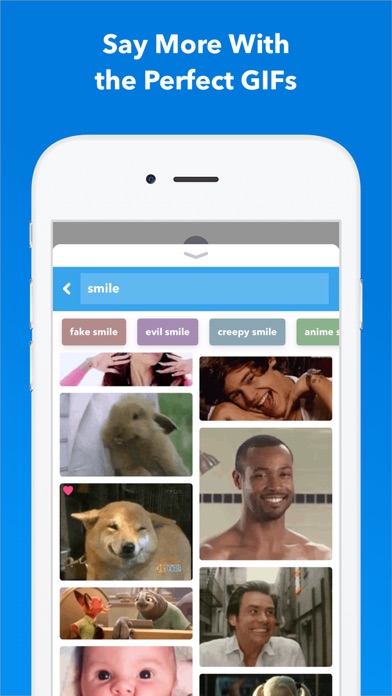
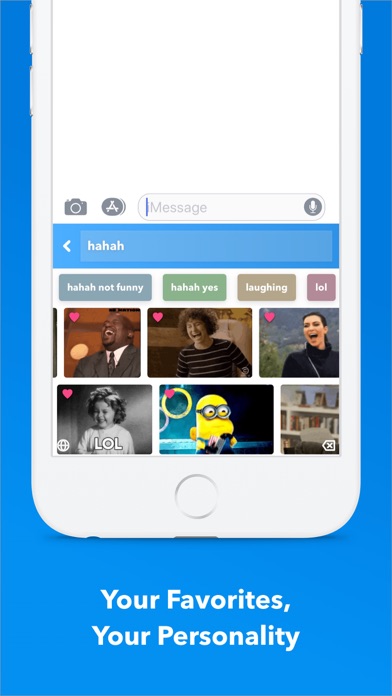
Say more with GIF Keyboard by Tenor. Add tone to your conversation. With Tenor’s GIF Keyboard for iPhone, iPad and iMessage discover or create the right GIF or video to visually sum up exactly what you’re trying to say, directly from your keyboard. Express the emotion, inside joke, or clever response you want to share. iMessage App Features: - Get the same great browse and search experience as GIF Keyboard, including access to your favorites and uploads. Create Stickers - Press and hold on any GIF to create a sticker that you can drag and drop onto any text, image or GIF in iMessage. Capture GIFs - Create your own GIFs with your front or back camera and personalize them with text, a handwritten note or drawings. Share instantly or save to a Pack. Packs - Create packs of your favorite stickers and GIFs that you can easily share with friends and family. Syncs with GIF Keyboard - Everything syncs to your Tenor GIF Keyboard so you can take your stickers and GIFs everywhere GIFs are supported. GIF Keyboard Features: - Send the right GIF or video to express exactly what’s on your mind, directly from your keyboard! - Search Tenor’s millions of GIFs and videos to find the one that perfectly fits the moment. You can also search by emoji to see the GIFs related to that emoji.. - Need inspiration? Browse by category like reactions, trending topics, and more. - Once you find the right GIF or video, simply tap it to automatically copy it to your clipboard, tap the iMessage text box to paste it and watch as it plays inline in your conversation. - See a GIF you like while browsing on your phone? Save it directly to your GIF Keyboard from Safari with the share button and our share extension. No need to save it to your camera roll because it’s instantly available from your GIF Keyboard! - Keep the GIFs you love handy -- double tap a GIF to favorite it and customize your GIF Keyboard. - Works with your favorite messengers and social networks including iMessage, Facebook Messenger, WhatsApp, Facebook and email. Just long-press on a GIF to pull up options to share the GIF, video, link, or save to camera roll. Tenor’s GIF Keyboard needs “full access” in your iPhone settings. This gives the GIF Keyboard full access to the internet so we’re able to give you the GIF you are searching for and ensure that our library is always updated with the latest and greatest GIFs and videos. Note: We do not log keystrokes or send them to our servers other than to search by key terms for the perfect GIF. If you have any other questions about full access please email us at privacy@tenor.co. Tenor was formerly known as Riffsy.
Publisher websiteStore creative
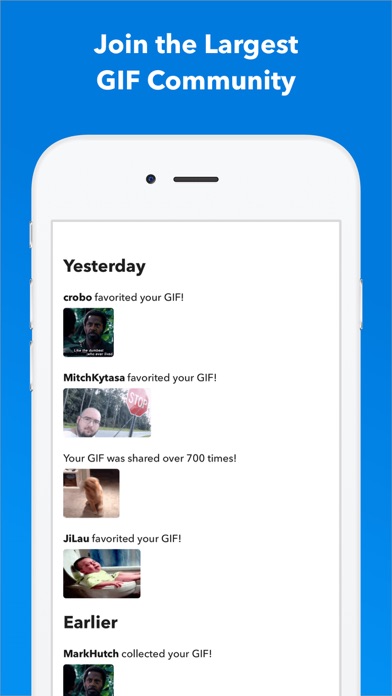
Screenshots


Competitive set
Similar apps
Deterministic links to real stored apps matched by category, publisher, and comparable performance bands.

Facemoji AI Emoji Keyboard
NEXILEAP PRIVATE LIMITED

Microsoft SwiftKey AI Keyboard
TouchType Ltd

Fonts Art: Cool Keyboard Maker
AIBY Incorporated

Google LLC

Google Chrome
Google LLC

DuckDuckGo, optional Duck.ai
Duck Duck Go, Inc.

leboncoin
LBC France

My au(マイエーユー)-料金・ギガ残量の確認アプリ
KDDI CORPORATION
How we estimate
Where every number comes from
App details: Apple iTunes Search API, updated Sep 28, 2026, 3:48 PM.
Rankings: collected chart positions from the listed storefront. Missing ranks are not zeros.
Economics: downloads and gross store consumer spend are estimated, not official Apple or publisher figures.
Model: Lineage not exposed by this aggregate.
Confidence: —; intervals widen when evidence or history is limited.
Last updated: Sep 28, 2026, 3:48 PM.
See how AppTrendKit separates observations, estimates, coverage, and confidence.
Open methodology